
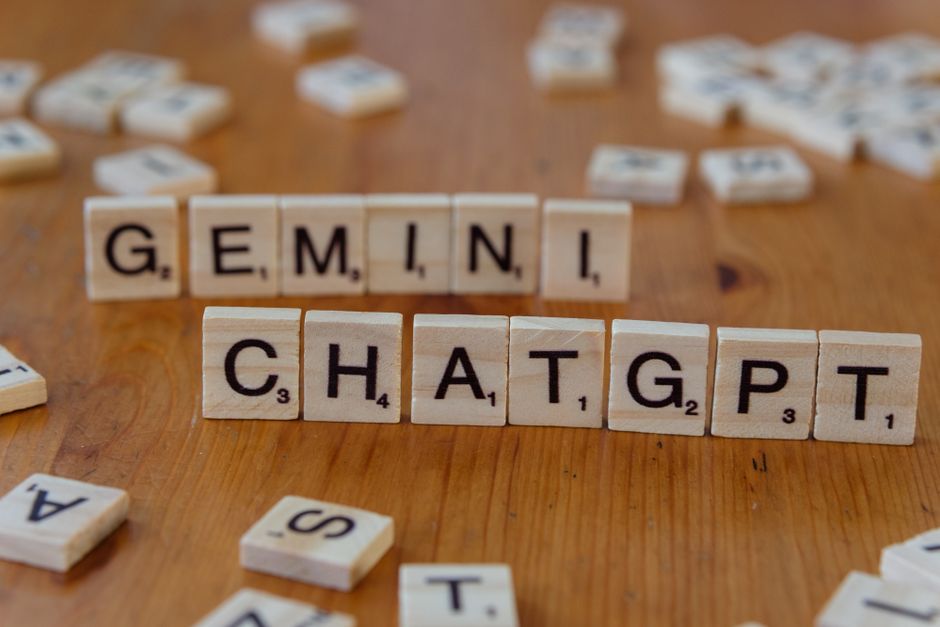
The world of website development and design is constantly evolving, and lately, the buzz around Artificial Intelligence (AI) has been deafening. Tools like Google’s Gemini and OpenAI’s ChatGPT are no longer just futuristic concepts; they’re actively influencing how we plan, build, and market our online presence. But beyond the hype, what does this mean for *you* when you’re looking to create or revamp your website? Forget the vague promises of “AI-powered websites.” Let’s dive into the practical, real-world applications of these AI tools that can genuinely make your next website project smoother, smarter, and more effective.
Understanding the AI Advantage for Your Website
Think of Gemini and ChatGPT as incredibly intelligent assistants, capable of understanding complex requests and generating creative, informative content. For website development and design, this translates to significant benefits across various stages of the project:
Content Creation and Optimization
One of the biggest hurdles in website development is creating compelling and SEO-friendly content. This is where AI shines. Instead of staring at a blank page, you can leverage AI to:
- Generate Initial Drafts: Provide AI with a topic, target audience, and desired keywords, and it can churn out blog post outlines, product descriptions, “About Us” pages, and even website copy. This saves immense time and overcomes writer’s block.
- Refine Existing Content: If you have content that’s underperforming, AI can analyze it for clarity, tone, and keyword density, suggesting improvements to boost its SEO performance.
- Brainstorm Ideas: Stuck for blog topics or new service offerings? AI can generate a list of relevant and trending ideas based on your industry and target market.
- Meta Descriptions and Titles: Crafting effective meta descriptions and page titles is crucial for click-through rates. AI can generate multiple options, helping you choose the most enticing ones.
Design Inspiration and Concept Development
While AI won’t replace a skilled web designer, it can be a powerful brainstorming partner. AI tools can help with:
- Visual Mood Boards: Describe the aesthetic you’re going for (e.g., “minimalist, professional, with a touch of nature”) and AI can suggest color palettes, font pairings, and even generate example layouts or image styles.
- User Flow Mapping: AI can help visualize how users will navigate your website, identifying potential friction points and suggesting more intuitive pathways.
- Wireframing Assistance: While not creating full wireframes, AI can help generate ideas for page structures and element placement based on best practices and your specific goals.
Technical SEO and Strategy
SEO is more than just keywords. It’s about understanding search intent and providing value. AI can assist in:
- Keyword Research: Go beyond basic keyword tools. AI can analyze competitor strategies, identify long-tail keywords, and suggest semantic variations that users are actually searching for.
- Content Gap Analysis: Discover what topics your competitors are covering that you’re not, and how you can create content to fill those gaps.
- Schema Markup Suggestions: While often handled by developers, AI can help identify opportunities to implement schema markup to help search engines better understand your content.
- Understanding Google News Inclusion: If your goal is to be featured in Google News, AI can analyze the content and formatting requirements of successful publications in your niche, offering guidance on how to align your own content strategy.
Practical Tips for Integrating AI into Your Website Project
Ready to put AI to work? Here’s how to do it effectively:
1. Define Your Goals Clearly
Before you even type a prompt, know what you want to achieve. Are you looking to speed up content creation? Get design ideas? Improve your SEO? The clearer your objective, the better the AI can assist you.
2. Treat AI as a Collaborator, Not a Replacement
AI is a tool to augment human creativity and expertise. Always review and edit AI-generated content for accuracy, tone, and brand voice. A designer’s eye is still crucial for the final visual appeal and user experience.
3. Master the Art of Prompt Engineering
The quality of AI output depends heavily on the quality of your input. Be specific with your prompts. Instead of “Write about SEO,” try “Write a 500-word blog post for small business owners explaining the benefits of local SEO, focusing on practical steps they can take today. Include the keywords ‘local SEO for small business’ and ‘improve local search ranking’.”
4. Experiment with Different AI Tools
Gemini and ChatGPT are powerful, but other AI tools are emerging for specific tasks like image generation, code completion, and SEO analysis. Explore what’s available to find the best fit for your needs.
5. Focus on User Intent
When using AI for content or design, always ask: “Does this serve the user’s needs? Does it answer their questions? Is it easy to understand?” AI can help you align your website with what users are actually looking for.
6. Integrate AI into Your Pay-Per-Click (PPC) Strategy
AI can also be a game-changer for PPC campaigns. Use it to:
- Generate Ad Copy Variations: Test different headlines and descriptions to see what resonates best with your target audience.
- Optimize Keyword Bids: Some AI tools can help predict which keywords are likely to yield the best ROI.
- Analyze Campaign Performance: AI can identify patterns in your PPC data, suggesting improvements to targeting, ad spend, and landing page optimization.
FAQ Section: Your AI Website Questions Answered
Q1: Will AI replace web designers and developers?
No, AI is more likely to augment their roles. It can automate repetitive tasks, generate ideas, and speed up processes, allowing human professionals to focus on higher-level strategy, creativity, and problem-solving.
Q2: Is AI-generated content good enough for SEO?
AI-generated content can be a fantastic starting point, but it needs human oversight. Always review, edit, and fact-check to ensure accuracy, originality, and adherence to your brand’s voice. Google values helpful, reliable, people-first content, which often requires a human touch.
Q3: How can I use AI to get my content on Google News?
To get your content featured on Google News, it needs to be timely, original, and written with journalistic integrity. AI can help you research trending topics, structure your articles, and optimize them for search engines, but the actual news value and reporting must come from human expertise.
Q4: What’s the difference between Gemini and ChatGPT for website development?
Both are powerful language models. Gemini, being developed by Google, might have a slight edge in understanding Google’s search ecosystem and potentially integrating with other Google services. ChatGPT, from OpenAI, is also incredibly versatile. The best choice often depends on the specific task and your personal preference for their output style.
Q5: How do I ensure my AI-assisted website is secure?
AI tools themselves don’t directly impact your website’s security unless you’re using them to generate code. Standard web security practices – secure hosting, regular updates, SSL certificates, and secure coding principles – are paramount, regardless of whether AI was involved in the development process.
Conclusion: Embracing the AI-Powered Future of Websites
The integration of AI like Gemini and ChatGPT into website development and design is not a trend to be ignored; it’s a fundamental shift. By understanding their capabilities and applying them strategically, you can create more effective, engaging, and SEO-optimized websites. Remember, AI is your partner in innovation. Use it to streamline your workflow, spark creativity, and ultimately, build a stronger online presence that resonates with your audience and achieves your business objectives. The future of web development is here, and it’s smarter than ever.
