
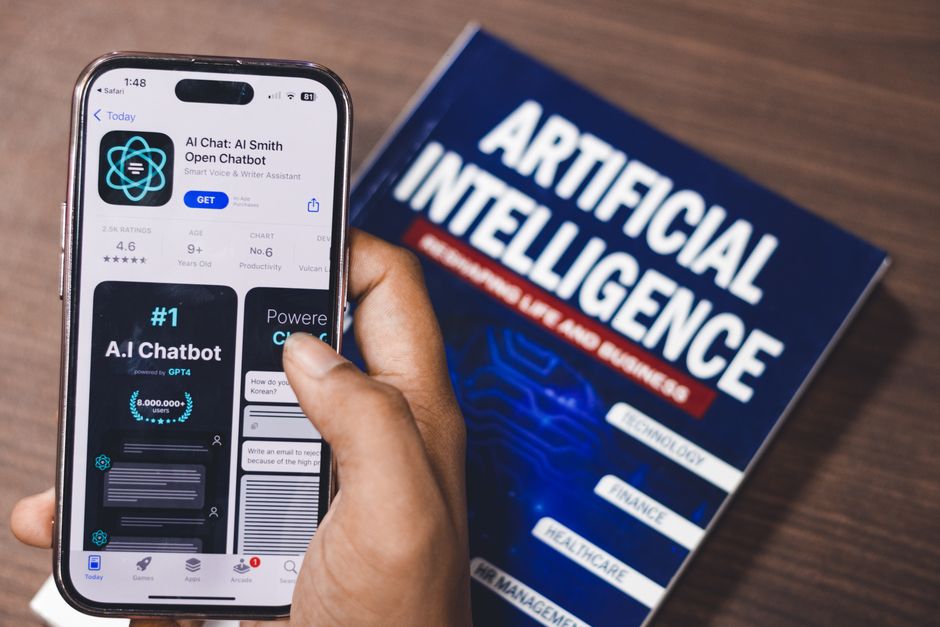
We’re living in an era where artificial intelligence is no longer science fiction; it’s a practical tool shaping our daily lives and, increasingly, our online presence. While terms like ChatGPT and Gemini dominate headlines, their real-world impact on website development and design often goes unnoticed by many business owners. This isn’t just about chatbots answering customer queries; it’s about a fundamental shift in how we build, optimize, and market websites. If you’re wondering how to stay ahead in the digital landscape, understanding these subtle yet powerful AI integrations is key.
The AI Undercurrent: What’s Really Changing in Website Development?
Forget the hype for a moment. Let’s talk about the practical, behind-the-scenes changes AI is bringing to website development and design. It’s less about flashy robots and more about smarter processes, enhanced user experiences, and more effective marketing strategies.
1. Smarter Design & User Experience (UX)
Traditionally, website design involved a lot of guesswork and iterative testing to understand user behavior. Now, AI-powered tools can analyze vast amounts of data to predict user preferences and optimize layouts. This means websites are becoming more intuitive and personalized than ever before. Think about:
- Predictive Design: AI can analyze successful design patterns and user interaction data to suggest layouts, color schemes, and navigation structures that are most likely to resonate with your target audience.
- Personalized Content Delivery: Based on a user’s past behavior, location, or even the time of day, AI can dynamically adjust the content displayed on your website, offering a more relevant and engaging experience.
- Automated A/B Testing: Instead of manually setting up and analyzing A/B tests, AI can continuously test variations of your website elements (like headlines, calls-to-action, or images) and automatically implement the most effective ones.
2. Accelerated Development Workflows
For developers, AI is becoming an invaluable assistant, speeding up tasks that were once time-consuming and repetitive.
- Code Generation & Assistance: Tools like GitHub Copilot (powered by OpenAI’s Codex, a precursor to some Gemini capabilities) can suggest code snippets, complete lines of code, and even identify potential bugs, significantly reducing development time.
- Automated Testing & Debugging: AI can be trained to identify and even fix common coding errors, streamlining the quality assurance process.
- Content Creation & Optimization: While not replacing human creativity, AI can assist in generating initial drafts of website copy, product descriptions, or meta tags, which can then be refined by human editors.
3. Enhanced SEO & Marketing Integration
The impact of AI extends far beyond the development phase, directly influencing how your website is found and marketed online.
- Advanced Keyword Research: AI can analyze search trends, competitor strategies, and user intent with greater precision than traditional methods, uncovering niche keywords and content opportunities.
- Content Strategy Optimization: AI can help identify content gaps, suggest relevant topics based on search volume and user interest, and even predict which content formats will perform best.
- Pay-Per-Click (PPC) Campaign Efficiency: AI is revolutionizing PPC advertising. Platforms like Google Ads are heavily incorporating AI for bid optimization, audience targeting, and ad creative generation, ensuring your ad spend is more effective.
- Google News Integration: For businesses that produce news-worthy content, AI can help in understanding what kind of content is favored by Google News algorithms, increasing the chances of your articles being featured and driving organic traffic.
Practical Steps to Leverage AI for Your Website
You don’t need to be an AI expert to start benefiting. Here are some actionable steps you can take today:
Step 1: Audit Your Current Website and Goals
Before diving into AI tools, understand what you want to achieve. Is your goal to increase lead generation, improve user engagement, boost sales, or enhance brand visibility? Knowing your objectives will help you choose the right AI solutions.
Step 2: Explore AI-Powered Design and UX Tools
Many website builders and UX platforms are integrating AI features. Look for tools that offer:
- AI-driven website builders: Platforms that can suggest layouts and content based on your industry and goals.
- Heatmap and analytics tools with AI insights: Tools that go beyond raw data to tell you *why* users are behaving a certain way.
- Personalization engines: Solutions that can tailor content and offers to individual visitors.
Step 3: Integrate AI into Your Content Strategy
Don’t be afraid to use AI as a writing assistant. Tools like ChatGPT or Gemini can help you:
- Brainstorm blog post ideas: Provide a topic and ask for related sub-topics or angles.
- Generate initial drafts: Get a first pass at website copy, product descriptions, or social media posts.
- Optimize existing content: Ask for suggestions to improve readability, SEO, or clarity.
- Craft meta descriptions and titles: Generate compelling snippets that encourage clicks from search results.
Remember, AI-generated content should always be reviewed and edited by a human to ensure accuracy, brand voice, and originality.
Step 4: Optimize Your SEO with AI Insights
Leverage AI for more intelligent SEO practices:
- Use AI-powered keyword research tools: Discover long-tail keywords and understand search intent more deeply.
- Analyze competitor SEO strategies: AI can help identify what’s working for your competitors and where you can find an advantage.
- Focus on user intent: AI tools can help you map content to the specific needs and questions users have at different stages of their journey.
Step 5: Enhance Your PPC Campaigns
If you’re running paid ads, AI is already a significant part of the platform.
- Understand your ad platform’s AI features: Familiarize yourself with how Google Ads or other platforms use AI for automated bidding, targeting, and ad creation.
- Experiment with AI-generated ad copy: Let AI suggest headlines and descriptions, then refine them.
- Utilize AI for audience segmentation: Allow AI to identify and target the most relevant audience segments for your ads.
Step 6: Consider Google News Optimization
For businesses with a strong news or content publishing arm, understanding AI’s role here is crucial.
- Focus on high-quality, original content: Google’s algorithms, including those that influence Google News, prioritize authoritative and unique content.
- Structure your content for discoverability: Use clear headings, factual reporting, and proper attribution.
- Stay updated on Google’s Publisher Center guidelines: While AI plays a role in discovery, adhering to best practices for publishers remains essential.
FAQ: Your AI Website Questions Answered
Q1: Will AI replace website designers and developers?
No, AI is more likely to augment their roles. AI can handle repetitive tasks, analyze data, and generate initial drafts, freeing up human professionals to focus on higher-level strategy, creativity, complex problem-solving, and ensuring the ethical and brand-aligned use of technology.
Q2: How can small businesses leverage AI without a huge budget?
Many AI-powered tools offer free tiers or affordable subscriptions. Start by exploring AI features within your existing website builder or CMS, using AI writing assistants for content, and leveraging the AI capabilities within platforms like Google Ads for your PPC campaigns. Focus on one or two areas where AI can have the biggest impact first.
Q3: Is AI-generated content good enough for SEO?
AI can produce grammatically correct and relevant content, but it often lacks the nuance, unique perspective, and brand voice that human writers provide. For SEO, the focus is on high-quality, helpful, and authoritative content. AI can be a powerful tool to *assist* in creating this content, but human oversight and editing are crucial to ensure it meets these standards and avoids sounding generic or repetitive.
Q4: How do I ensure my website remains secure when using AI tools?
Always use reputable AI tools from established providers. Review their privacy policies and data handling practices. Ensure your website’s security infrastructure is robust, and always practice safe browsing and data management habits, regardless of whether AI is involved.
Q5: How can AI help me understand if my website is performing well?
AI-powered analytics tools can provide deeper insights into user behavior, conversion rates, and traffic sources. They can identify patterns and anomalies that might be missed by traditional analytics, helping you understand *why* your website is performing a certain way and pinpointing areas for improvement.
The Future is Here, and It’s Smarter
The integration of AI into website development, design, and marketing is not a future concept; it’s a present reality. By understanding the practical applications of tools like ChatGPT and Gemini, and by strategically adopting AI-powered solutions, you can create more engaging user experiences, streamline your development processes, and achieve more effective marketing outcomes. It’s about working smarter, not just harder, to ensure your website stands out in an increasingly crowded digital world. Embrace the AI undercurrent, and you’ll be well-positioned for success.
