
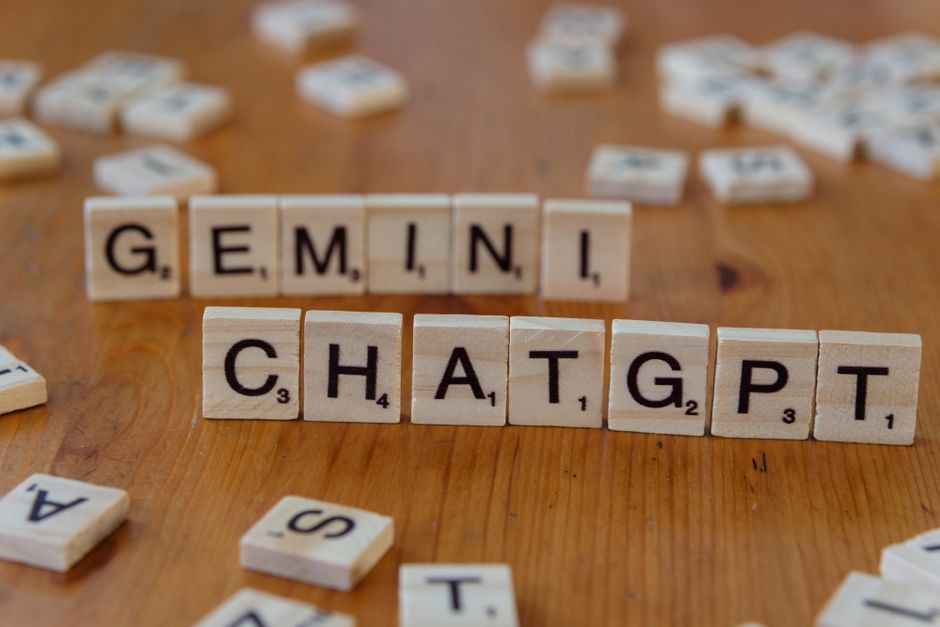
The world of website development and design is constantly evolving, and lately, the buzz has been all about Artificial Intelligence (AI). You’ve likely heard of ChatGPT and now, Google’s Gemini. But beyond the hype, how are these powerful AI tools *actually* changing the way we build and optimize websites? This isn’t about predicting the future; it’s about understanding the practical, tangible ways Gemini and ChatGPT are already influencing website projects today, and what that means for you, whether you’re a business owner, a marketer, or a budding web developer.
From Idea to Implementation: AI as Your Digital Co-Pilot
Gone are the days when website development was solely the domain of highly specialized coders and designers. While their expertise remains invaluable, AI tools like Gemini and ChatGPT are democratizing aspects of the process, making it more accessible and efficient. Think of them not as replacements, but as incredibly capable assistants that can accelerate your workflow and even spark new ideas.
Accelerating Content Creation and Ideation
One of the most immediate impacts of AI on website projects is content. Coming up with compelling website copy, blog post ideas, or even product descriptions can be a bottleneck. Here’s how Gemini and ChatGPT are stepping in:
- Brainstorming Topics: Stuck for blog post ideas related to your niche? Ask Gemini or ChatGPT to generate a list of potential topics based on your keywords. For example, instead of just “website development tips,” you might get “5 Under-the-Radar SEO Strategies for Small Businesses Using AI,” or “The Ethical Considerations of AI in Web Design.”
- Drafting Website Copy: Need an “About Us” page that tells your story effectively? Or product descriptions that convert? AI can provide initial drafts, which you can then refine and personalize. This drastically cuts down on the initial writing time.
- SEO Keyword Research Assistance: While dedicated SEO tools are still essential, AI can help you discover related keywords and long-tail phrases you might not have considered. Prompting them with your core business and target audience can yield surprising insights.
- Generating Meta Descriptions and Titles: Crafting SEO-friendly meta titles and descriptions is crucial. AI can generate multiple options, helping you find the most clickable and informative ones for your pages.
Streamlining Design Concepts and User Experience (UX) Flow
While AI can’t *yet* replace the nuanced aesthetic judgment of a human designer, it can significantly aid in the conceptualization and planning stages of website design:
- Mood Board Generation: Describe your brand’s aesthetic and target audience, and AI can suggest color palettes, font pairings, and even visual themes. This can be a fantastic starting point for a designer.
- Wireframing Assistance: While not creating full wireframes, AI can help map out user journeys and suggest different page layouts based on your stated goals. For instance, you could ask for a typical user flow for an e-commerce checkout process.
- Content Formatting and Structure: AI can help organize your content logically, suggesting headings, subheadings, and bullet points that improve readability and user experience.
The Practical Impact on Your Website Project Lifecycle
Let’s move beyond the theoretical and look at how these AI tools are practically impacting different stages of a website project:
Phase 1: Planning and Strategy
Before a single line of code is written or a pixel is placed, AI can be a valuable partner:
- Market Research Enhancement: Ask AI to summarize current trends in your industry or analyze competitor websites. This can provide a quick overview of the landscape.
- Defining Target Audience Personas: While you know your audience, AI can help flesh out detailed personas by suggesting demographics, interests, and pain points based on your initial descriptions.
- Content Strategy Outline: Get AI to help you structure a content calendar, suggesting topics and their potential SEO value.
Phase 2: Development and Design
Here’s where AI can directly assist the technical and creative teams:
- Code Snippet Generation: For common coding tasks (e.g., a simple JavaScript function for a carousel, basic HTML structure), AI can provide functional code snippets, saving developers time on repetitive tasks.
- Debugging Assistance: Developers can describe a coding error to AI and get suggestions for potential fixes. This can significantly speed up the troubleshooting process.
- Image Prompting for Stock Photos/Illustrations: If you’re looking for specific imagery, AI can help craft detailed prompts for stock photo sites or even AI image generators, leading to more relevant results.
Phase 3: Optimization and Marketing
Once your website is live, AI continues to play a crucial role, especially in SEO and paid advertising:
- Refining Pay-Per-Click (PPC) Ad Copy: AI can generate multiple variations of ad headlines and descriptions for platforms like Google Ads, helping you A/B test more effectively and find what resonates with your audience.
- Analyzing User Feedback: If you have customer reviews or survey data, AI can help summarize sentiment and identify common themes, informing website improvements.
- Content Improvement for SEO: AI can analyze existing content and suggest ways to improve its SEO by incorporating more relevant keywords, enhancing readability, or adding internal links.
- Exploring Google News Optimization: While not a direct AI function, understanding how AI generates news content can inform your own strategy for getting your content featured in Google News. This involves creating timely, original, and well-structured content that AI-powered aggregators can easily process.
Navigating the AI Landscape: Practical Tips for Your Next Project
It’s easy to get overwhelmed by AI. Here’s how to leverage Gemini and ChatGPT effectively and responsibly in your website development and design projects:
1. Treat AI as a Collaborator, Not a Replacement
The human touch in website development is irreplaceable. AI can generate ideas, draft content, and assist with code, but it lacks genuine creativity, empathy, and strategic business understanding. Always review, edit, and personalize AI-generated output.
2. Be Specific with Your Prompts
The quality of AI output is directly proportional to the quality of your input. Instead of “write website content,” try “Write a compelling ‘About Us’ section for a sustainable fashion brand targeting eco-conscious millennials, highlighting our ethical sourcing and commitment to reducing waste. Aim for a warm, informative, and inspiring tone.”
3. Fact-Check Everything
AI models, while advanced, can sometimes “hallucinate” or present outdated information. Always verify facts, statistics, and any technical advice provided by AI.
4. Understand the Limitations
AI cannot understand your unique brand voice intuitively or grasp subtle market nuances without explicit guidance. It also cannot replace the ethical considerations and legal compliance required in web development.
5. Integrate AI Tools Thoughtfully
Don’t force AI into every step. Identify where it can genuinely save time, boost creativity, or improve efficiency. For example, using AI for initial blog post outlines is practical; relying on it to write your entire website’s core value proposition without human oversight is risky.
6. Stay Updated on AI Ethics and Best Practices
As AI becomes more integrated, it’s crucial to be aware of ethical considerations, data privacy, and potential biases. Ensure your use of AI aligns with your brand’s values and industry standards.
Frequently Asked Questions (FAQ)
Q1: Can AI replace website designers and developers entirely?
No, not entirely. While AI can automate certain tasks and assist in the creative process, it cannot replace the human elements of creativity, strategic thinking, user empathy, and nuanced problem-solving that skilled designers and developers bring to a project.
Q2: How can I use Gemini or ChatGPT for SEO on my website?
You can use them to brainstorm blog topics, generate keyword ideas, draft meta descriptions and titles, and even suggest ways to improve existing content for better search engine visibility. Remember to always review and optimize their suggestions.
Q3: Is it safe to use AI-generated content on my website?
Yes, but with caution. AI-generated content should be treated as a first draft. You must edit, fact-check, and personalize it to ensure it aligns with your brand voice, accuracy, and originality. Google values helpful, human-created content.
Q4: How do AI tools like Gemini and ChatGPT relate to Google News optimization?
While AI doesn’t directly control Google News inclusion, understanding how AI processes and categorizes content can inform your strategy. Creating high-quality, original, and well-structured content that is easily digestible by AI algorithms increases its chances of being picked up by news aggregators.
Q5: What are the biggest benefits of using AI in website development?
The biggest benefits include increased efficiency, accelerated content creation, enhanced brainstorming capabilities, improved code generation for repetitive tasks, and faster debugging. This frees up human professionals to focus on more complex and creative aspects of the project.
Conclusion: The Future is Collaborative
Gemini and ChatGPT are not just passing trends; they are powerful tools that are actively reshaping the landscape of website development and design. By embracing them as intelligent collaborators, focusing on specific and clear prompts, and always applying a critical human eye, you can unlock new levels of efficiency, creativity, and effectiveness in your next website project. The future of web creation isn’t about AI versus humans; it’s about AI *empowering* humans to build better, smarter, and more impactful online experiences.
