
Launching a new website is an important step, but publishing it does not automatically make it visible on Google. Search engines need time to discover your pages, understand the content and evaluate whether the website deserves to appear for relevant searches.
New websites usually begin with limited authority, few backlinks and little or no performance history. This makes the first three months especially important.
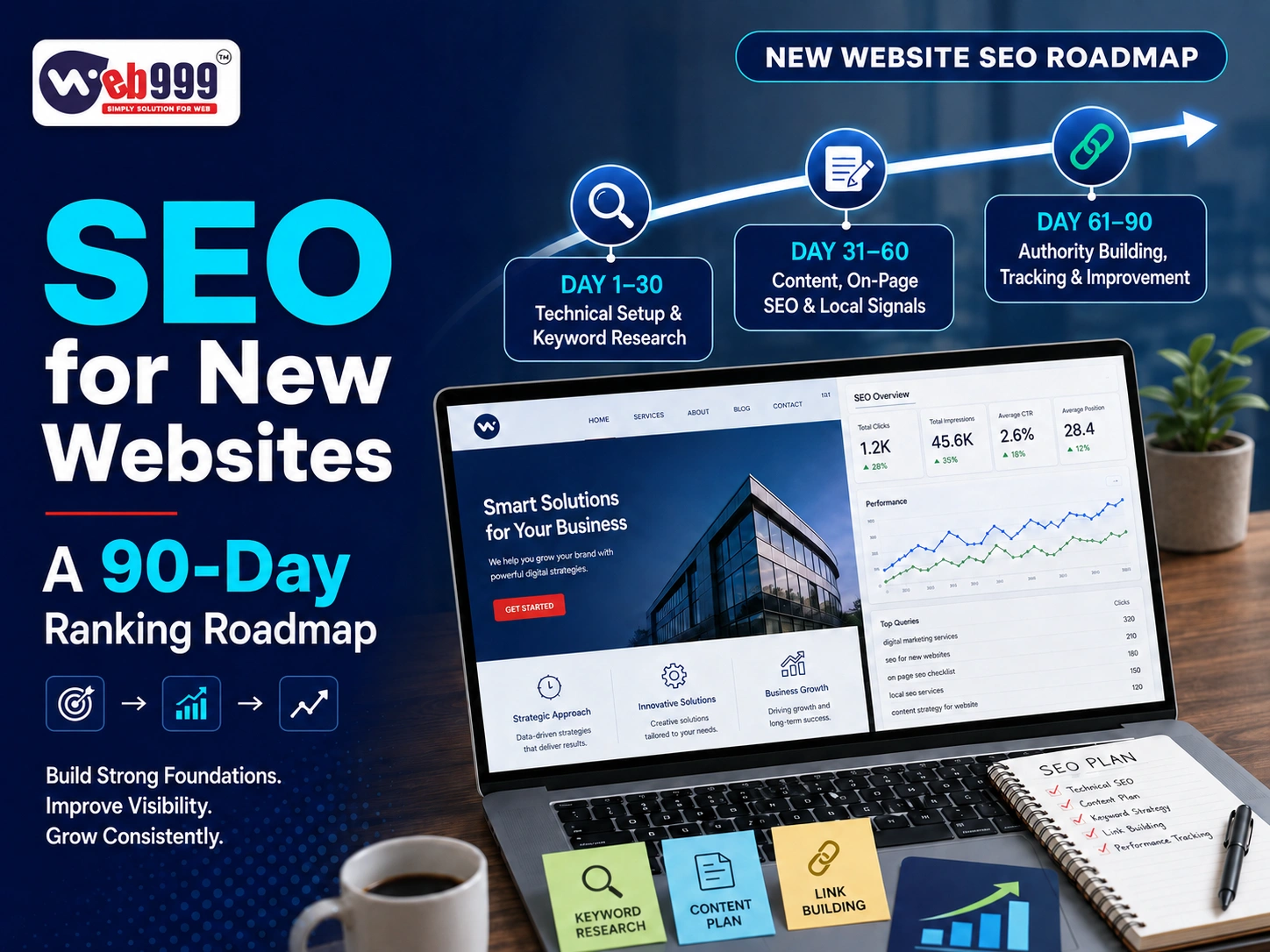
A structured 90-day SEO roadmap can establish a strong technical foundation, target relevant keywords and begin building organic visibility. It cannot guarantee first-page rankings within 90 days, but it can help a new website move in the right direction.
What Should You Expect During the First 90 Days?
SEO is a long-term process. During the first 90 days, your main goals should be:
- Ensure Google can access the website
- Get important pages indexed
- Fix technical problems
- Target relevant keywords
- Publish helpful content
- Improve local visibility
- Build initial website authority
- Track rankings, traffic and enquiries
Some low-competition keywords may start showing movement during this period. Competitive keywords can take much longer, especially when established websites already dominate the search results.
The first 90 days should be viewed as the foundation of an ongoing SEO strategy.
Days 1–30: Build the SEO Foundation
The first month should focus on research, technical setup and website structure.
1. Define Clear Business Goals
Before selecting keywords, decide what you want SEO to achieve.
Possible SEO Goals
- Generate service enquiries
- Increase online sales
- Attract local customers
- Reach B2B buyers
- Generate appointment bookings
- Receive telephone calls
- Promote selected products
- Increase store visits
- Reach customers in new locations
SEO decisions should support measurable business outcomes—not only website traffic.
2. Identify Your Target Audience
Understand who is most likely to search for your products or services.
Important Audience Details
Consider:
- Customer type
- Location
- Industry
- Problems they want to solve
- Products or services they require
- Questions they ask before buying
- Words they use while searching
- Whether they are ready to purchase or still researching
A manufacturer targeting purchase managers needs a different SEO strategy from a restaurant targeting nearby diners.
3. Conduct Keyword Research
Keyword research identifies relevant Google searches that can bring potential customers to your website.
Types of Keywords to Research
Keywords may be based on:
- Service
- Product
- Location
- Industry
- Application
- Customer problem
- Buying intention
- Frequently asked questions
Example Keywords for a Website Design Company
Location and Service-Based Keywords
- Website design company in Ahmedabad
- E-commerce website development in Ahmedabad
- WordPress developer in Ahmedabad
- Website redesign services
- SEO-friendly website development
Avoid targeting only highly competitive keywords. New websites should also target specific searches with clear intent.
A smaller number of relevant visitors can be more valuable than a large amount of unrelated traffic.
4. Map Keywords to Relevant Pages
Every important keyword should be assigned to the most suitable page.
Recommended Keyword Mapping
- Homepage: Main business service and location
- Service pages: Individual services
- Product pages: Specific products
- Location pages: Genuine service areas
- Blog posts: Informational searches
- Contact page: Business location and contact details
Do not target the same primary keyword across several pages without a clear reason. This can make it difficult for search engines to identify which page is most relevant.
5. Plan a Clear Website Structure
Your website should have a logical page hierarchy.
Standard Business Website Structure
A business website may include:
- Home
- About Us
- Services
- Individual service pages
- Products or portfolio
- Blog
- Frequently asked questions
- Contact
- Privacy policy
- Terms and conditions
Visitors should be able to reach important pages without navigating through multiple complicated menus.
A clear structure also helps search engines discover and understand your website content.
6. Set Up Google Search Console
Google Search Console helps website owners monitor how their website appears in Google Search.
What You Can Monitor
Search Console can provide information about:
- Indexed pages
- Search queries
- Clicks and impressions
- Average ranking positions
- Mobile usability problems
- Crawling errors
- Security issues
- Manual actions
- Website performance
Verify the correct version of your website and review the reports regularly.
7. Set Up Website Analytics
Website analytics helps you understand how people find and use your website.
Important Actions to Track
- Contact-form submissions
- Phone-number clicks
- WhatsApp clicks
- Appointment bookings
- Product purchases
- Catalogue downloads
- Direction requests
- Email clicks
SEO success should be measured through valuable actions rather than website traffic alone.
8. Create and Submit an XML Sitemap
An XML sitemap provides search engines with a list of important website pages.
XML Sitemap Checklist
After creating your sitemap:
- Check that it opens correctly
- Include only useful and indexable pages
- Remove test or duplicate pages
- Submit it through Google Search Console
- Update it when new pages are added
A sitemap supports page discovery, but it does not guarantee that every submitted page will be indexed.
9. Review the Robots.txt File
The robots.txt file provides crawling instructions to search engines.
Make Sure Important Resources Are Not Blocked
Check that the file does not accidentally block:
- Important pages
- Product categories
- Website images
- CSS and JavaScript resources
- Blog posts
Development websites are sometimes blocked from search engines before launch. This restriction must be reviewed when the live website is published.
10. Install an SSL Certificate
Your website should load securely through HTTPS.
SSL and HTTPS Checklist
Check that:
- The SSL certificate is active
- Every page opens through HTTPS
- HTTP pages redirect properly
- Images and scripts use secure URLs
- The browser does not show security warnings
Security is important for user confidence, particularly when the website collects enquiries, account information or payments.
11. Improve Mobile Usability
New websites should be designed with mobile users in mind.
Mobile Usability Checklist
Check:
- Text readability
- Button sizes
- Menu functionality
- Form usability
- Image scaling
- Page spacing
- Click-to-call buttons
- WhatsApp integration
- Checkout process
Test the website on actual mobile devices, not only through a desktop preview.
12. Improve Website Speed
Website performance problems should be resolved early.
Website Speed Factors
Review:
- Image sizes
- Hosting quality
- Website theme
- Plugins
- Third-party scripts
- Caching
- Server response time
- Database performance
- Video backgrounds
- Unused code
A fast website improves usability and supports your technical SEO foundation.
13. Fix Indexing and Technical Errors
Check your website for technical problems that could prevent crawling, indexing or proper usability.
Common Technical SEO Problems
- Broken links
- Missing pages
- Duplicate URLs
- Incorrect redirects
- Test pages
- Placeholder content
- Missing images
- Server errors
- Incorrect canonical tags
- Pages accidentally marked as “noindex”
Important technical problems should be corrected before extensive content publishing or link-building begins.
Days 31–60: Build Content and Relevance
After establishing the technical foundation, the second month should focus on content, on-page SEO and local visibility.
14. Optimise the Homepage
Your homepage should clearly explain:
- What the business offers
- Who it serves
- Where it operates
- Why customers should choose it
- How visitors can contact the business
Homepage SEO Checklist
Optimise your homepage with:
- A clear SEO title
- A relevant meta description
- One main H1 heading
- Well-organised content sections
- Internal links
- Genuine business information
- Strong calls to action
Avoid filling the homepage with repeated keywords. The writing should sound natural and help potential customers understand the business.
15. Create Individual Service Pages
Do not place every service in a few lines on one page. Each important service should have a dedicated page.
What to Include on a Service Page
- Service explanation
- Customer problems addressed
- Service process
- Benefits
- Target audience
- Relevant service locations
- Frequently asked questions
- Call or enquiry option
Individual service pages allow your website to target more specific searches and provide better information to potential customers.
16. Develop Detailed Product Pages
E-commerce and manufacturing websites should create useful and original product pages.
What to Include on a Product Page
Depending on the product, include:
- Product name
- Original description
- Specifications
- Applications
- Price or enquiry option
- Availability
- Product images
- Variations
- Packaging information
- Delivery information
- Frequently asked questions
Avoid copying product descriptions directly from suppliers or competing websites.
17. Optimise SEO Titles and Meta Descriptions
Every important page should have a unique SEO title and meta description.
How to Write an SEO Title
A good SEO title should:
- Describe the page accurately
- Include the primary keyword naturally
- Mention the location when relevant
- Avoid unnecessary repetition
- Encourage relevant users to click
How to Write a Meta Description
A good meta description should:
- Summarise the page accurately
- Include the primary topic naturally
- Highlight an important benefit
- Match the visitor’s search intention
- Encourage a relevant click
Do not use the same SEO title and meta description across every page.
18. Improve the Heading Structure
Headings help visitors scan the content and help search engines understand page organisation.
Correct Heading Hierarchy
Use:
- H1 for the main page title
- H2 for major sections
- H3 for topics within an H2 section
- H4 for detailed points within an H3 section
- H5 for deeply nested supporting details
Important Heading Rule
Use only one H1 heading on each page. Do not use headings only to change the visual size of text. Every heading should represent the actual structure of the content.
19. Strengthen Internal Linking
Internal links connect related pages within your website.
Internal Linking Examples
- Blog posts can link to service pages
- Service pages can link to case studies
- Product pages can link to product categories
- The homepage can link to priority pages
- Related articles can link to one another
Use descriptive anchor text instead of repeatedly writing “click here.”
Internal links help visitors discover additional information and distribute authority throughout the website.
20. Optimise Website Images
Images should be prepared for users, search engines and website performance.
Image SEO Checklist
Use:
- Descriptive file names
- Suitable image dimensions
- Compressed file sizes
- Relevant alternative text
- Modern image formats where appropriate
- Genuine business photographs
Do not fill image alternative text with unrelated keywords. Describe the image clearly when it provides useful information or supports accessibility.
21. Add Relevant Schema Markup
Structured data can help search engines understand business information and page content.
Common Types of Schema
Depending on your website, suitable schema may include:
- Organisation
- Local Business
- Product
- Article
- Breadcrumb
- Event
- Course
- Restaurant
- Frequently Asked Questions
Schema markup must match the content visible on the page. Do not add false ratings, prices or business information.
22. Create an SEO Content Calendar
Plan blog topics based on customer questions and keyword research.
Content Ideas for a New Website
- How-to guides
- Buying guides
- Service comparisons
- Cost explanations
- Industry-specific advice
- Frequently asked questions
- Common mistakes
- Local guides
- Product applications
Publish content consistently, but prioritise quality over quantity.
A small number of useful articles is better than dozens of weak or repetitive posts.
23. Publish Your First SEO Blogs
Every article should provide genuine value and satisfy a clear search intention.
SEO Blog Checklist
Every blog should:
- Answer a clear question
- Have a specific search purpose
- Use a logical heading hierarchy
- Provide original information
- Link to relevant service pages
- Include a useful call to action
- Avoid keyword stuffing
Review every article for accuracy, spelling, grammar and readability before publishing.
24. Optimise Your Google Business Profile
Local businesses should create or improve their Google Business Profile.
Google Business Profile Checklist
Include:
- Correct business name
- Complete address
- Updated phone number
- Website link
- Relevant business category
- Opening hours
- Genuine photographs
- Products or services
- Accurate Google Maps location
Keep your business name, address and phone number consistent across your website and other trusted listings.
25. Begin Collecting Genuine Reviews
Customer reviews help build credibility and support local search visibility.
Encourage genuine customers to provide honest feedback. Never purchase fake reviews or create reviews using staff accounts.
Respond professionally to all feedback, including negative reviews.
Days 61–90: Build Authority and Improve Performance
The third month should focus on promotion, authority building, content improvement and performance analysis.
26. Start Relevant Backlink Building
Backlinks are links from other websites to your website. They can help build authority when they come from relevant and trustworthy sources.
Relevant Backlink Opportunities
Potential opportunities include:
- Industry associations
- Reputable business directories
- Supplier or partner websites
- Local publications
- Trade websites
- Guest articles
- Event pages
- Genuine company announcements
- Educational resources
Avoid purchasing large backlink packages or submitting your website to hundreds of unrelated directories.
Backlink quality and relevance are more important than quantity.
27. Build Local Citations
A local citation is an online mention of your business’s name, address and phone number.
Where to Build Citations
Create accurate listings on relevant:
- Local directories
- Industry directories
- Business associations
- Map services
- Trusted marketplace profiles
Do not create duplicate or inconsistent business listings.
28. Promote Content Through Social Media
Share useful articles through platforms that are relevant to your target audience.
Content Promotion Channels
These may include:
- YouTube
- Email newsletters
- WhatsApp, with permission
Social sharing does not automatically produce high Google rankings. However, it can introduce your content to potential customers and relevant industry websites.
29. Review Search Console Performance
By the third month, Google Search Console may begin showing useful performance information.
Search Console Data to Review
Review:
- Pages receiving impressions
- Queries triggering your website
- Pages gaining clicks
- Average ranking positions
- Indexing problems
- Mobile performance
Use this information to identify early SEO opportunities.
A page receiving impressions but few clicks may need a clearer SEO title and meta description. A page ranking beyond the first few results may need stronger content or better internal links.
30. Update Early Content
SEO content should not be treated as permanently finished.
Content Improvement Checklist
Review and improve:
- Introductions
- Missing information
- Examples
- Frequently asked questions
- Internal links
- Calls to action
- Images
- SEO titles
- Meta descriptions
Do not change pages simply because rankings have not improved immediately. Make updates based on evidence and user value.
31. Check for Keyword Cannibalisation
Keyword cannibalisation can occur when several website pages compete for the same search term.
Signs of Keyword Cannibalisation
Review whether:
- Multiple blogs cover the same topic
- Location pages are nearly identical
- Service pages target the same keyword
- Product pages contain duplicate information
Every page should have a clear and distinct purpose. Similar content may need to be combined, rewritten or redirected.
32. Improve Conversion Paths
SEO traffic is valuable only when visitors can take meaningful action.
Conversion Elements to Check
Make sure important pages have:
- A visible phone number
- WhatsApp button
- Short enquiry form
- Request-a-quote button
- Appointment-booking option
- Product-purchase option
- Catalogue download
- Clear next step
Test every form and contact button on mobile and desktop devices.
33. Track Leads from Organic Search
Configure tracking for meaningful visitor actions.
Important SEO Conversions
Track:
- Calls
- WhatsApp enquiries
- Form submissions
- Purchases
- Appointment bookings
- Direction requests
- Brochure downloads
This helps determine whether SEO traffic is generating real business opportunities.
34. Conduct a 90-Day SEO Review
At the end of the first 90 days, conduct a complete SEO performance review.
SEO Metrics to Review
Review:
- Indexed pages
- Organic traffic
- Keyword impressions
- Search rankings
- Website speed
- Mobile usability
- Backlinks
- Google Business Profile actions
- Enquiries and conversions
- Best-performing pages
- Technical errors
Use this information to plan your SEO activities for the next three to six months.
What Results Can a New Website Expect in 90 Days?
Possible progress may include:
- Important pages indexed by Google
- Initial keyword impressions
- Ranking movement for specific searches
- Early organic traffic
- Improved local visibility
- Calls or enquiries from search
- Better technical performance
- Growing content coverage
- Initial backlinks and authority
Factors That Influence SEO Results
Results vary according to:
- Industry competition
- Target locations
- Website quality
- Content depth
- Domain history
- Backlink profile
- SEO consistency
- Competitor strength
No genuine SEO company can promise a particular ranking position or number of leads within 90 days.
Common SEO Mistakes New Websites Should Avoid
Avoid these common SEO mistakes:
- Expecting immediate first-page rankings
- Targeting only highly competitive keywords
- Publishing copied content
- Creating many low-quality pages
- Purchasing bulk backlinks
- Ignoring technical SEO
- Using identical location pages
- Repeating keywords unnaturally
- Not setting up conversion tracking
- Changing URLs repeatedly
- Ignoring mobile performance
- Publishing without internal links
- Stopping SEO after one or two months
- Measuring only website traffic
- Publishing automated content without review
SEO should support customers and business goals—not attempt to manipulate search engines.
What Happens After the First 90 Days?
SEO work should continue after the initial 90-day roadmap.
Recommended Next Steps
The next phase may include:
- Publishing more industry-related content
- Improving pages with ranking potential
- Creating detailed location pages
- Building relevant backlinks
- Adding case studies
- Improving conversion rates
- Updating older content
- Expanding product or service pages
- Strengthening local SEO
- Studying competitor strategies
- Improving technical performance
- Tracking lead quality
The first 90 days establish the foundation. Consistent SEO work builds visibility and authority over time.
How Web999 Can Help
Web999 provides SEO-ready website development and ongoing search engine optimisation services for businesses in Ahmedabad and other locations.
SEO Services Provided by Web999
Services can include:
- New website SEO audit
- Keyword research
- Competitor analysis
- On-page SEO
- Technical SEO
- Google Search Console setup
- Website analytics
- Local SEO
- Google Business Profile optimisation
- SEO content planning
- Blog management
- Backlink strategy
- Website speed optimisation
- Conversion tracking
The SEO roadmap can be customised according to your industry, location, target audience and business goals.
Conclusion
The first 90 days of a new website are about creating a reliable foundation for long-term organic growth.
The first month should focus on technical setup and keyword planning. The second month should build content and relevance. The third month should strengthen authority, analyse performance and improve conversion paths.
SEO does not provide instant or guaranteed rankings. However, a structured SEO strategy can help search engines understand your website and help potential customers discover your business.
