
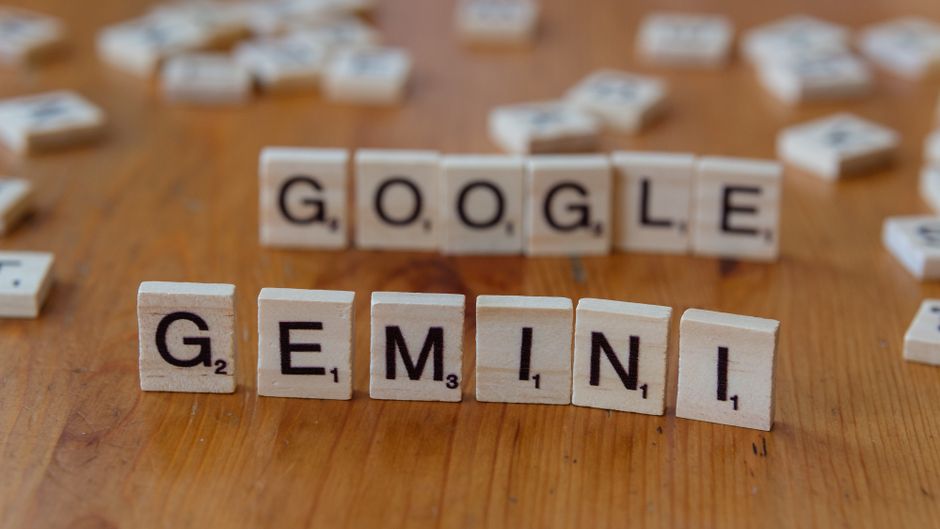
Remember when building a website felt like a finish line? You’d launch, maybe do a little SEO, and then hope for the best. Fast forward to today, and that finish line is just the starting gun. In the rapidly evolving digital landscape, your website isn’t a static brochure; it’s a dynamic hub that needs constant care, optimization, and fresh content to stay relevant. The good news? You don’t have to do it all alone. Enter your new secret weapon: AI.
Artificial intelligence, specifically powerful language models like Google’s Gemini and OpenAI’s ChatGPT, isn’t just for sci-fi movies anymore. They’re practical, everyday tools that can act as your website’s co-pilot, helping you navigate the complexities of SEO, supercharge your pay-per-click (PPC) campaigns, and even position your content to capture attention on platforms like Google News. This isn’t about replacing human creativity or expertise, but about augmenting it, automating the mundane, and unlocking new levels of efficiency and insight. Let’s explore how these AI tools can transform your website from a digital presence into a perpetual growth engine.
The AI-Augmented Website: Your New Growth Engine
Think of your website as a garden. You wouldn’t just plant seeds and walk away, would you? You’d nurture it, prune it, and adapt to changing seasons. Your website is no different. It requires continuous attention to thrive. With AI as your co-pilot, you gain an always-on assistant capable of research, content generation, analysis, and strategic brainstorming. This means you can spend less time on repetitive tasks and more time on what truly matters: connecting with your audience and growing your business.
Practical Tip 1: AI for SEO – Beyond Basic Keywords
Search Engine Optimization (SEO) is the art and science of getting your website found on Google. While the basics remain, AI takes SEO from a tedious chore to a strategic advantage. Gemini and ChatGPT can dive deep into data, identify hidden opportunities, and even help you craft content that Google loves.
- Advanced Keyword Research & Topic Clustering: Instead of just finding single keywords, use AI to identify semantic relationships between terms. Ask it to “generate a list of related topics and long-tail keywords for [your main topic] that demonstrate user intent and cover a comprehensive knowledge base.” This helps you build content clusters that position you as an authority.
- Content Briefs & Outline Generation: Feeding AI your target keywords and competitor URLs can result in detailed content briefs. Ask Gemini or ChatGPT to “create an outline for a blog post targeting ‘best sustainable travel gear’ that includes frequently asked questions and addresses common pain points.” This ensures your content is comprehensive and structured for SEO.
- Meta Description & Title Tag Optimization: Struggling to write compelling meta descriptions and title tags that entice clicks? Provide AI with your article’s summary and target keywords, then ask it to “write 5 unique, click-worthy meta descriptions (under 160 characters) and title tags (under 60 characters) for this content.”
- On-Page SEO Suggestions: AI can analyze your existing content and suggest improvements. Copy-paste an article and ask, “How can I improve the on-page SEO for this article for the keyword ‘vegan meal prep ideas’ without keyword stuffing?” It can recommend internal linking opportunities, readability enhancements, and relevant subheadings.
Practical Tip 2: AI for PPC – Smarter Ads, Lower Costs
Pay-per-click (PPC) campaigns, like Google Ads, can be incredibly effective, but they also demand constant optimization to ensure your budget is spent wisely. AI tools can help you craft more engaging ads, identify better audiences, and even brainstorm landing page improvements, ultimately leading to higher conversions and lower costs.
- Compelling Ad Copy Generation: Tired of writing endless ad variations? Provide AI with your product/service features, target audience, and desired call to action. Ask it to “generate 10 unique Google Ad headlines (under 30 characters) and descriptions (under 90 characters) for a campaign promoting [your service], focusing on benefits and urgency.”
- Audience Segmentation & Keyword Expansion: AI can help you uncover new audience segments and negative keywords. Ask ChatGPT, “What are common interests and demographics of people searching for [your product/service]?” or “Suggest negative keywords for a PPC campaign promoting ‘affordable web design’ to avoid irrelevant clicks.”
- A/B Test Idea Brainstorming: Improving PPC often comes down to testing. Ask Gemini, “What are 5 creative A/B test ideas for a landing page designed to capture leads for a software demo?” or “Suggest different angles for ad copy testing for a local plumbing service.”
- Landing Page Content Optimization: While not directly running your ads, AI can help optimize the pages your ads lead to. Provide your current landing page content and ask, “How can I improve this landing page content to increase conversion rates for users coming from a PPC ad about [specific product]?”
Practical Tip 3: AI for Google News – Becoming a Trusted Source
Getting your content featured on Google News can drive significant traffic and establish your brand as an authoritative source. AI can’t guarantee approval, but it can significantly improve your chances by helping you identify trending topics, structure your articles correctly, and ensure they meet the quality standards Google expects.
- Trending Topic Identification: Use AI to stay ahead of the curve. Ask Gemini, “What are the top 5 trending topics in the [your industry] sector right now that would be relevant for a news article?” or “Analyze recent news headlines related to [specific niche] and suggest a unique angle for an article.”
- Article Structure for News: Google News prioritizes clear, concise, and well-structured content. Ask ChatGPT to “outline a news-style article about [topic] that includes an inverted pyramid structure, clear headings, and a strong lead paragraph.”
- Compelling Headline & Summary Generation: News headlines need to be punchy and informative. Provide your article’s core message and ask AI to “generate 10 news-worthy headlines for an article about [topic] that are concise and impactful.” Also, ask for a brief, engaging summary suitable for news feeds.
- E-E-A-T Signal Enhancement: While AI can’t *be* an expert, it can help you present your expertise. Ask it to “suggest ways to incorporate author expertise and trustworthiness signals into an article about [complex topic]” or “identify areas where I can cite more credible sources within this content.”
Practical Tip 4: AI for Content Creation & Refresh – Always Fresh, Always Relevant
A thriving website needs a steady stream of fresh, high-quality content. AI is a game-changer here, assisting with everything from brainstorming ideas to drafting outlines and even helping you refresh older posts to keep them relevant.
- Brainstorming & Idea Generation: Stuck for blog post ideas? Ask Gemini, “Generate 20 blog post ideas for a website focused on sustainable living, targeting millennials.” It can provide angles you might never have considered.
- Outline & Draft Creation: Don’t start from a blank page. Provide AI with your topic, target audience, and key points. Ask ChatGPT to “create a detailed blog post outline about ‘the benefits of remote work for small businesses’ including an intro, 3 main sections, and a conclusion.” You can even ask it to draft sections, which you then refine.
- Content Repurposing & Refreshing: Breathe new life into old content. Take an existing blog post and ask AI to “rewrite this article to make it more engaging and up-to-date for 2026, focusing on new trends in [topic].” Or, “extract 5 social media posts and 3 email subject lines from this blog article.”
- FAQ Section Generation: A well-structured FAQ section can improve user experience and SEO. Provide AI with your main content and ask it to “generate 10 common questions and concise answers based on this article about [topic].”
Practical Tip 5: AI for Website Design & UX – Continuous Improvement
While AI won’t design your entire website from scratch (yet!), it can be an invaluable assistant for refining your user experience (UX) and making iterative design improvements. It helps you understand user behavior patterns and suggests actionable changes.
- User Feedback Analysis: If you collect user feedback (surveys, reviews), AI can help you quickly identify patterns and pain points. Feed it a batch of comments and ask, “Summarize the main frustrations and suggestions from these user feedback responses regarding our website’s navigation.”
- A/B Testing Hypotheses: Based on analytics data or user feedback, AI can help you formulate hypotheses for A/B tests. Ask, “Given that users are dropping off on our product page, what are three design or content changes we could A/B test to improve conversion?”
- Accessibility Suggestions: AI can review your content or design mockups and provide accessibility recommendations. Ask, “Suggest improvements to this webpage content to make it more accessible for users with visual impairments,” or “Are there any common accessibility pitfalls in this layout description?”
- Personalized Content Delivery Ideas: As your website grows, AI can help you brainstorm ways to personalize user experiences. Ask, “What are some ways we could use AI to personalize content recommendations for returning visitors to our e-commerce site?” (This leans into more advanced AI implementation, but the ideas can start with Gemini/ChatGPT).
Frequently Asked Questions (FAQ)
Is AI going to replace web developers and designers?
No, not entirely. Think of AI as a powerful co-pilot or an extremely efficient assistant, not a
