
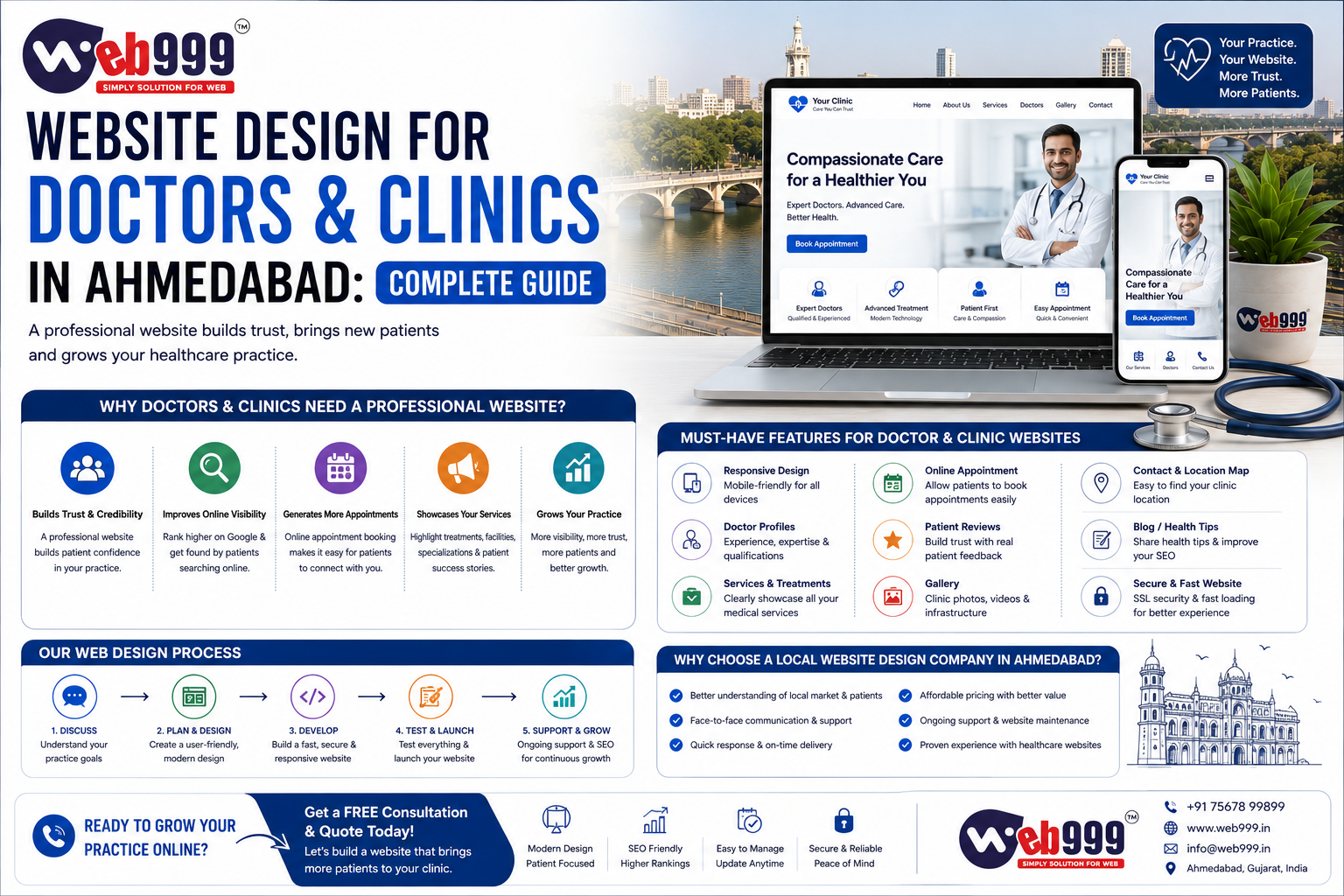
A patient looking for a doctor in Ahmedabad may not begin by calling a hospital or asking a friend.
Very often, the search starts online.
They may search:
- “Neurologist in Ahmedabad”
- “Dental clinic near me”
- “Orthopedic doctor in Ahmedabad”
- “Skin specialist in Satellite Ahmedabad”
- “Best pediatrician near me”
Once they find a doctor or clinic, the next step is often checking the website, Google Business Profile, location, services, timings and contact details.
This means your website is more than an online visiting card.
For doctors and clinics, a good website should help potential patients quickly understand:
- Who you are
- What you specialize in
- Which treatments or services you provide
- Where your clinic is located
- When you are available
- How to book an appointment
It should also create confidence without making exaggerated medical claims.
This complete guide explains what doctors, clinics and healthcare businesses in Ahmedabad should consider when planning a professional website.
Why Do Doctors and Clinics Need a Website?
Some doctors rely almost entirely on referrals and Google Maps.
That may work, but having your own website gives you much more control over how your practice is presented online.
Your website can provide detailed information about:
- Doctor profile
- Qualifications
- Specialization
- Treatments
- Clinic facilities
- Appointment process
- Location
- Working hours
- Frequently asked questions
- Patient education
A Google Business Profile can help people discover your clinic on Search and Maps and display details such as your hours, phone number, website and location.
Your website can then provide the deeper information a patient may want before contacting you.
A Medical Website Should Build Trust First
Healthcare is different from many other industries.
Someone looking for a restaurant may make a decision in a few minutes.
Someone looking for a doctor may be more careful.
They may want to know:
- Is this the right specialist for my problem?
- What are the doctor’s qualifications?
- Where is the clinic?
- How do I book an appointment?
- Does the doctor provide the treatment I need?
Your website should answer these questions clearly.
The design should feel professional, clean and easy to understand rather than overloaded with animations, advertisements or aggressive sales language.
1. Start With a Clean and Professional Homepage
Your homepage should immediately explain who you are.
A visitor should not need to scroll through multiple banners to understand your specialization.
A good opening section might include:
Doctor Name and Specialization
Dr. [Name]
Consultant Neurologist in Ahmedabad
A short line about the practice can follow, along with clear actions such as:
- Book Appointment
- Call Clinic
- Get Directions
What the Homepage Can Introduce
The homepage can then introduce:
- Doctor
- Specializations
- Major treatments
- Clinic
- Appointment information
- Patient resources
Keep the structure simple.
2. Create a Detailed Doctor Profile
For an individual doctor’s website, the doctor profile is one of the most important pages.
Include genuine information such as:
- Full name
- Professional qualification
- Specialization
- Experience
- Professional memberships
- Areas of clinical interest
- Hospital or clinic association
- Professional photograph
If there are multiple doctors at the clinic, create an individual profile for each important practitioner.
Do not hide all doctor information inside one team photograph.
Patients may specifically search for a doctor’s name.
3. Use Real Professional Photography
Avoid building a medical website entirely with generic stock photographs.
Use genuine photographs of:
- Doctor
- Clinic
- Reception
- Consultation area
- Facilities
- Team
Real photographs can help visitors understand what to expect when they arrive.
The doctor’s main photograph should look professional and natural.
You do not need an overly dramatic photoshoot.
Clean lighting, professional clothing and a simple background are usually enough.
4. Create Separate Pages for Major Treatments
One common mistake is putting every treatment on one page.
For example, an orthopedic doctor may offer treatment for:
- Knee Pain
- Shoulder Pain
- Sports Injuries
- Arthritis
- Fractures
- Joint Replacement
Instead of only listing these treatments, important services can have dedicated pages.
Example Treatment Page URLs
- /knee-pain-treatment-ahmedabad/
- /sports-injury-treatment-ahmedabad/
- /joint-replacement-surgeon-ahmedabad/
Each page should provide genuinely useful information about that service.
5. Explain Treatments in Simple Language
Patients are not doctors.
Avoid filling every page with complicated medical terminology.
You can still be medically accurate while explaining information clearly.
What a Treatment Page Can Cover
- What the condition is
- Common symptoms
- When medical evaluation may be appropriate
- How it is diagnosed
- Possible treatment approaches
- When a procedure may be considered
- Frequently asked questions
The objective should be patient education.
Avoid making the website sound like an online diagnosis tool.
6. Make Appointment Booking Easy
A potential patient should not struggle to book an appointment.
Use a clear Book Appointment button in important locations.
Appointment Options
- Online enquiry form
- Phone call
- Appointment request form
- External booking platform
Simple Appointment Form
For a simple clinic, the appointment form may ask for:
- Patient Name
- Phone Number
- Preferred Date
- Preferred Time
- Reason for Visit
Keep it simple.
Do not ask for unnecessary information before the patient has even contacted the clinic.
7. Make the Phone Number Easy to Find
For many clinics, phone calls remain one of the fastest ways to schedule appointments.
Your phone number should be visible in important areas such as:
- Header
- Contact page
- Mobile call button
- Appointment section
On mobile devices, make the number clickable.
A patient should be able to tap once and call.
8. Add WhatsApp Carefully
WhatsApp can make basic communication convenient.
It may be useful for:
- Appointment requests
- Clinic timings
- Location questions
- General administrative enquiries
But the website should not encourage patients to send sensitive medical information casually through an ordinary chat channel unless the clinic has an appropriate process for handling it.
A simple CTA such as:
WhatsApp for Appointment
is clearer than:
Send Your Medical Problem on WhatsApp
9. Add Clinic Location and Google Maps
Location is extremely important for local healthcare searches.
Your contact page should clearly show:
- Clinic name
- Full address
- Landmark
- Ahmedabad location
- Google Map
- Phone number
- Working hours
- Appointment information
Add a:
Get Directions
option where possible.
For someone searching from another part of Ahmedabad, knowing exactly where your clinic is located can influence their decision.
10. Optimize Your Google Business Profile
Your website and Google Business Profile should work together.
A verified Business Profile can help your clinic appear on Google Search and Maps and allows you to manage information such as your location, website, phone number and hours.
Keep Important Information Accurate
- Doctor or clinic name
- Address
- Phone
- Website
- Working hours
- Business category
Complete and accurate information can make the online experience clearer for potential patients.
11. Make Your Website Mobile Friendly
A large percentage of local patient journeys can involve a smartphone.
Someone may search for a clinic while:
- At home
- Travelling
- At work
- Helping a family member
Your website should therefore work comfortably on smaller screens.
Check Mobile Usability
- Text size
- Menu
- Appointment forms
- Images
- Call buttons
- WhatsApp buttons
- Maps
- Treatment pages
Do not make patients zoom into the page just to read basic information.
12. Keep the Website Fast
A healthcare website does not need heavy animation.
A simple, fast website is often more useful.
Common Reasons Medical Websites Become Slow
- Large doctor photographs
- Uncompressed clinic images
- Too many sliders
- Excessive plugins
- Auto-playing videos
- Poor hosting
Compress images and keep the design focused.
A fast website creates a better experience for patients, particularly on mobile connections.
13. Use a Clear Navigation Menu
A doctor website does not need a complicated menu.
A practical structure could be:
- Home
- About Doctor
- Treatments
- Clinic
- Patient Resources
- Blog
- Contact
- Book Appointment
For a multi-speciality clinic, you may also need:
- Doctors
- Departments
The exact structure should depend on the practice.
14. Add Clinic Timings
Make your working hours easy to find.
For example:
Monday – Saturday
10:00 AM – 1:00 PM
5:00 PM – 8:00 PM
If appointments are required, say so clearly.
If timings differ by location, list each clinic separately.
Also keep your Google Business Profile hours updated.
15. Create Separate Location Pages When You Have Multiple Clinics
Suppose a doctor consults at two genuine locations:
Satellite
and
Bopal
You can create useful pages for each clinic.
Each Location Page Can Include
- Clinic address
- Timings
- Map
- Contact details
- Available services
- Appointment information
- Location-specific photographs
Do not create fake clinic locations simply to rank across Ahmedabad.
Location pages should represent places where you genuinely practise or provide services.
16. Add Frequently Asked Questions
Patients often have practical questions before booking.
For example:
- Do I need an appointment?
- What should I bring to my first consultation?
- Where is the clinic located?
- Is parking available?
- How can I reschedule my appointment?
- Which reports should I bring?
A useful FAQ section can reduce unnecessary calls and make the patient journey easier.
17. Publish Patient Education Content
A blog can be useful when it genuinely educates patients.
Orthopedic Blog Examples
- Common Causes of Knee Pain
- When Should You Consult an Orthopedic Doctor?
- What to Expect During an Orthopedic Consultation
Dermatology Blog Examples
- Common Causes of Hair Fall
- When Should You Consult a Dermatologist for Acne?
Neurology Blog Example
- Common Warning Signs That Need Neurological Evaluation
Medical content needs particular care because readers may use it to make decisions about their health.
Keep it accurate, balanced and educational.
18. Show Who Reviewed Medical Content
For important medical information, consider showing:
Written by
or
Medically reviewed by
along with the doctor’s name and credentials where appropriate.
For healthcare content, demonstrating relevant professional expertise can help readers understand who is responsible for the information.
19. Keep Medical Content Updated
Medical information should not remain untouched for years if recommendations or services have changed.
Review important pages periodically.
You may display information such as:
Last reviewed: August 2026
where appropriate.
This should represent a genuine review, not simply a date that automatically changes.
20. Avoid Making Unrealistic Claims
Avoid headlines such as:
- 100% Guaranteed Treatment
- Best Doctor in India Guaranteed
- Permanent Cure Guaranteed
A professional medical website should communicate experience and capabilities without promising outcomes that cannot responsibly be guaranteed.
Highlight Genuine Strengths Instead
- Qualifications
- Experience
- Specialization
- Technology
- Facilities
- Services
Let facts build credibility.
21. Use Testimonials Responsibly
Patient experiences can help people understand the clinic.
If you display testimonials, make sure you have an appropriate basis and permission to use them.
Do not fabricate testimonials.
Avoid presenting individual outcomes as though every patient will receive the same result.
Keep testimonials genuine and contextual.
22. Protect Patient Privacy
Privacy is especially important for healthcare websites.
Be careful about collecting:
- Medical reports
- Diagnoses
- Prescription details
- Identification documents
- Other sensitive patient information
If your website needs to collect sensitive information, the technical and privacy requirements should be considered carefully rather than simply adding a basic form plugin.
For a standard appointment enquiry, collect only what is actually needed.
23. Use SSL and HTTPS
Your website should use HTTPS.
Visitors should not see browser warnings when opening your clinic website.
HTTPS is particularly important when the website contains:
- Forms
- Login systems
- Appointment requests
- Patient information
Security should be considered from the beginning of the project.
24. Create a Proper Contact Page
Your Contact page should be practical.
Include:
- Doctor or clinic name
- Address
- Phone number
- Working hours
- Google Map
- Appointment form
- Directions
If you have multiple locations, make the difference between them obvious.
Do not make patients search through your website for basic contact information.
25. Add Emergency Information Where Relevant
A normal clinic website should not accidentally give the impression that an online form is suitable for emergencies.
Where appropriate to the practice, make it clear that online appointment requests are not intended for urgent or emergency medical situations.
The exact wording should be appropriate to the clinic and services provided.
26. SEO for Doctors in Ahmedabad
A professionally designed website can also support organic search visibility.
For example, a doctor may want to be discovered for relevant searches such as:
- Neurologist in Ahmedabad
- Orthopedic doctor Ahmedabad
- Dermatologist Ahmedabad
- Pediatrician Ahmedabad
- Dental clinic Ahmedabad
However, SEO should not mean repeating the same keyword unnaturally throughout every page.
Use relevant search terms naturally while creating genuinely useful content for patients.
27. Optimize Every Important Treatment Page
Each important treatment page should have:
- Clear page title
- Proper main heading
- Useful content
- Logical subheadings
- Relevant images
- Internal links
- Clear appointment CTA
- Appropriate meta description
Example SEO Title
Knee Pain Treatment Page
Knee Pain Treatment in Ahmedabad | Dr. [Name]
The page should then genuinely explain knee pain evaluation and treatment rather than simply repeating “knee pain treatment Ahmedabad.”
28. Create Useful Page Titles
Generic titles waste an opportunity.
Avoid:
Home | Dr. ABC
A clearer title could be:
Dr. ABC – Orthopedic Doctor in Ahmedabad
For a treatment page:
Knee Replacement Surgeon in Ahmedabad | Dr. ABC
Use accurate descriptions.
Do not put ten specialities into one title.
29. Write Useful Meta Descriptions
Your meta description should tell potential patients what the page contains.
For example:
Consult Dr. ABC, an orthopedic specialist in Ahmedabad, for evaluation and treatment of knee, shoulder and joint conditions. View clinic details and request an appointment.
Keep it natural.
The objective is to help the user understand whether the page is relevant.
30. Add Internal Links
Connect related pages.
For example, an article about knee pain can naturally link to:
- Knee Treatment
- Book Appointment
A doctor profile can link to major treatment pages.
Treatment pages can link to relevant patient education articles.
This creates a more useful website structure.
31. Consider Appropriate Structured Data
Structured data can help search engines understand information on a webpage.
Your developer should use only markup that accurately represents visible content.
Do not add fake ratings, fake reviews or misleading information to structured data.
32. Connect the Website to Google Search Console
After launching the website, connect it to Google Search Console.
It can help you understand:
- Which pages Google has indexed
- Search queries
- Search clicks
- Indexing problems
- Technical issues
This can make it easier to monitor search visibility and identify technical problems.
33. Track Appointment Enquiries
Do not judge your medical website only by traffic.
Track meaningful actions such as:
- Appointment forms
- Phone clicks
- WhatsApp clicks
- Direction clicks
- Contact enquiries
Suppose your website receives only 1,000 monthly visitors.
If 80 are highly relevant potential patients, that may be more useful than receiving 10,000 irrelevant visitors.
Focus on meaningful outcomes.
34. Website Design for Individual Doctors
An individual doctor website can focus heavily on personal professional credibility.
A practical structure could be:
Home
Doctor introduction and main specializations.
About Doctor
Qualifications, experience and professional background.
Treatments
Detailed service pages.
Patient Resources
Educational articles and FAQs.
Clinic
Location, timings and facilities.
Contact
Appointment information.
This is often enough to create a strong professional online presence.
35. Website Design for Multi-Speciality Clinics
A multi-speciality clinic requires a different structure.
You may need:
Departments
- Orthopedics
- Dermatology
- Pediatrics
- Gynecology
- General Medicine
Doctors
Individual profiles for each doctor.
Services
Diagnostic or treatment services.
Locations
If multiple branches exist.
Appointment System
Allow patients to select:
- Department
- Doctor
- Location
- Preferred appointment time
As the clinic becomes larger, website planning becomes more important.
36. Website Design for Dental Clinics
Dental websites can benefit from detailed service pages such as:
- Dental Implants
- Root Canal Treatment
- Braces
- Teeth Whitening
- Pediatric Dentistry
- Cosmetic Dentistry
Use real clinic and doctor photography.
Treatment pages should explain procedures in patient-friendly language rather than relying only on before-and-after imagery.
37. Website Design for Specialists
Specialist doctors can build websites around their core expertise.
For example, a neurosurgeon may have pages for:
- Brain Tumour
- Spine Surgery
- Disc Problems
- Trigeminal Neuralgia
- Endoscopic Brain Surgery
- Endoscopic Spine Surgery
A specialist website should make the doctor’s area of practice immediately clear.
This can improve both user experience and search relevance.
38. Common Doctor Website Mistakes
Avoid common problems such as:
- Outdated doctor information
- No mobile optimization
- Slow website
- Stock images everywhere
- No appointment button
- Hidden phone number
- Missing clinic timings
- Missing location
- One page containing every treatment
- Thin treatment content
- Excessive medical terminology
- Fake reviews
- Unrealistic guarantees
- Keyword stuffing
- Poor privacy practices
A medical website does not need to be complicated.
It needs to be clear and trustworthy.
39. How Much Does a Doctor Website Cost in Ahmedabad?
The cost depends on the scope.
Small Doctor Website
A small doctor website may need only:
- 5–6 pages
- Responsive design
- Doctor profile
- Treatment overview
- Appointment form
- Google Maps
Larger Clinic Website
A larger clinic may require:
- 10–30+ pages
- Multiple doctor profiles
- Individual treatment pages
- Blog management
- Multiple locations
- Appointment functionality
- SEO structure
At Web999, the currently published website packages include a Dynamic Website at ₹11,999/project for 5–6 pages and an Admin Panel Website at ₹25,999/project for a 10–12 page WordPress CMS website.
The actual scope for a doctor or clinic should be decided according to the required pages and functionality.
40. What Should Doctors Provide to Their Website Developer?
Before development begins, prepare:
- Doctor name
- Qualifications
- Professional profile
- Specializations
- Treatment list
- Clinic address
- Clinic timings
- Phone number
- Appointment process
- Professional photographs
- Clinic photographs
- Logo, if available
- Existing website, if any
- Social media profiles, if relevant
Also provide accurate medical information for each treatment page.
The developer should not guess medical facts.
Why Choose Web999 for Doctor & Clinic Website Design in Ahmedabad?
Web999 provides website design, WordPress development, SEO and digital marketing services for businesses in Ahmedabad, and its published industry coverage specifically includes doctors and clinics.
A doctor or clinic website can be planned around:
- Professional responsive design
- Doctor profile
- Treatment pages
- Appointment enquiries
- Call integration
- WhatsApp integration
- Google Maps
- Mobile optimization
- SEO-friendly structure
- Blog management
- Local SEO support
The objective should not simply be to make the website look attractive.
The website should help potential patients understand the doctor, services and clinic and make it simple to take the next appropriate step.
Frequently Asked Questions
Why Does a Doctor Need a Website?
A website gives doctors control over how their qualifications, specializations, treatments, clinic details and appointment information are presented online.
What Pages Should a Doctor Website Have?
A typical website may include Home, About Doctor, Treatments, Clinic, Blog or Patient Resources, Contact and Appointment pages.
Should Every Treatment Have a Separate Page?
Major treatments can benefit from dedicated pages when there is enough useful and accurate information to explain them properly.
Can a Doctor’s Website Rank on Google?
Yes, a properly structured website can be eligible to appear for relevant searches, but rankings are not guaranteed.
Is Google Maps Important for Doctors?
It can be very useful for clinics serving local patients.
A verified Google Business Profile can display your location, hours, phone number and website on Google Search and Maps.
Should Doctors Publish Blogs?
Blogs can be useful when they answer genuine patient questions accurately and responsibly.
Quality is more important than publishing large amounts of generic content.
Should a Clinic Add WhatsApp?
WhatsApp can be useful for appointment and administrative enquiries.
Clinics should be thoughtful about how sensitive medical information is handled.
How Much Does a Doctor Website Cost in Ahmedabad?
The cost depends on the number of pages, design, appointment functionality, CMS, SEO requirements and other features.
Web999’s currently published general business website packages start at ₹11,999 for its 5–6 page Dynamic Website package.
Can an Existing Clinic Website Be Redesigned?
Yes.
An existing website can be reviewed for design, mobile usability, speed, content structure, appointment flow and SEO before redesigning it.
Is WordPress Suitable for a Clinic Website?
For many clinics, WordPress can be suitable because authorized users can manage pages, blogs and other content through an admin panel.
Final Thoughts
A good doctor website should do three things well:
- Build Trust
- Provide Useful Information
- Make Appointments Easy
Patients should be able to quickly understand who the doctor is, what the clinic provides, where it is located and how to contact it.
Focus on:
- Clean professional design
- Genuine doctor information
- Detailed treatment pages
- Real photography
- Mobile responsiveness
- Fast loading
- Easy appointment options
- Clear clinic location
- Helpful patient education
- Strong local SEO foundation
For healthcare websites, credibility matters more than flashy design.
Your website should feel like an extension of your professional practice.
If you are planning a new website or redesign for a doctor, specialist, dental clinic or multi-speciality clinic in Ahmedabad, Web999 can build the website around your actual practice, treatments and patient enquiry process.
Need a Professional Website for Your Clinic?
Contact Web999 with your specialization, required pages, clinic location and appointment requirements to discuss a suitable website structure.
