
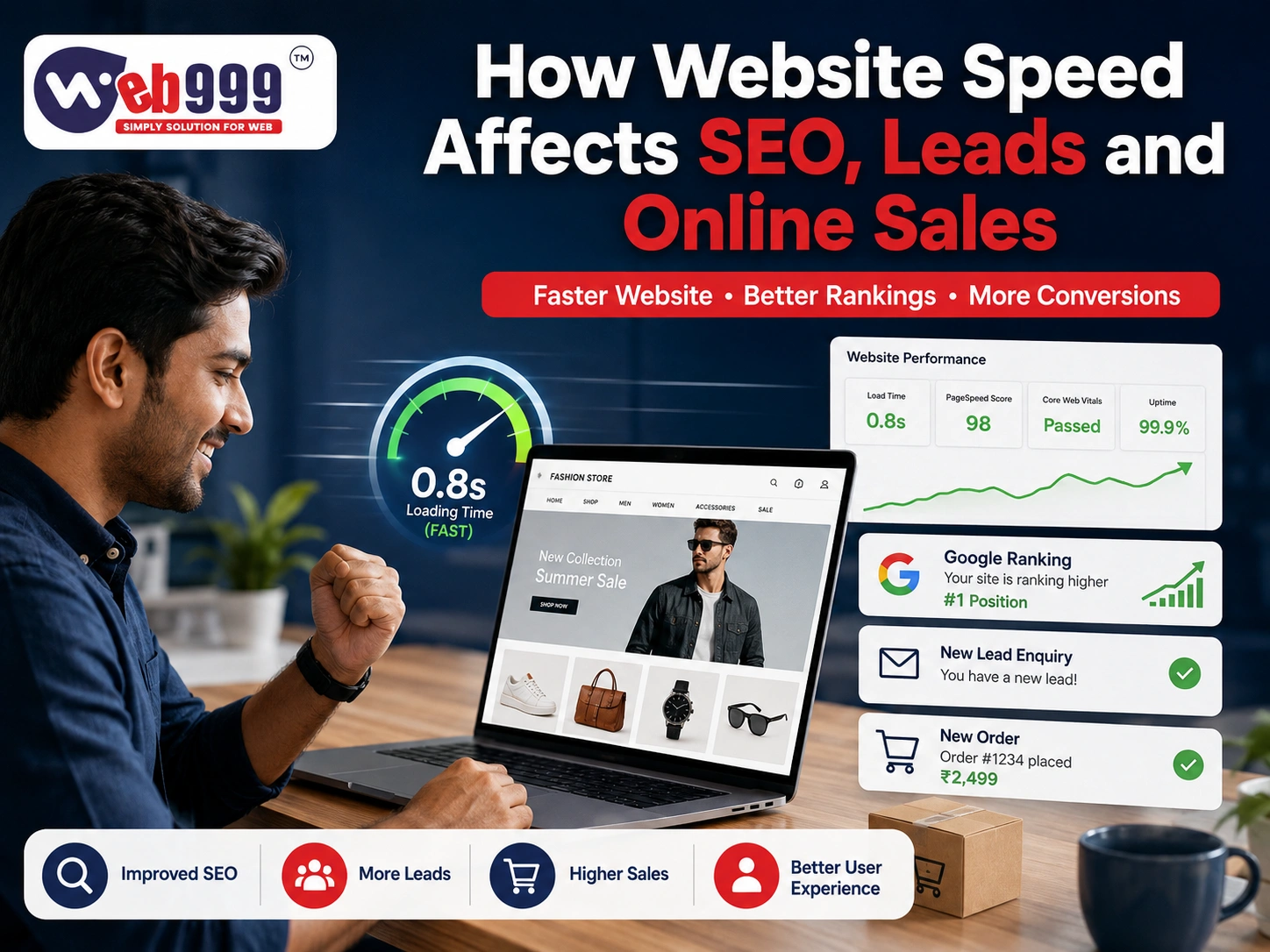
A fast website is no longer just a technical advantage. It plays an important role in how visitors experience your business, how search engines understand your website, and how effectively your online presence generates enquiries and sales.
Modern customers expect websites to open quickly and work smoothly. When a page takes too long to load, visitors may leave before they have an opportunity to explore your services, view your products, or contact your business.
Website speed can influence SEO performance, lead generation, online sales, paid advertising results, mobile usability, and customer confidence.
Even a professionally designed website can struggle to produce results when its performance is poor. For businesses that depend on Google searches, online enquiries, e-commerce transactions, or digital advertising, website speed optimisation should be an essential part of the overall digital strategy.
What Is Website Speed?
Website speed refers to how quickly a webpage loads and becomes fully usable for a visitor.
It is not simply about how quickly something appears on the screen. A website may display its header or banner quickly while other important elements continue loading in the background.
Important Elements of Website Performance
Website performance includes:
- How quickly the first visible content appears
- How fast the main content loads
- How quickly buttons become clickable
- How soon enquiry forms become usable
- Whether page elements remain visually stable
- How smoothly visitors can scroll
- How quickly the website reacts after an interaction
Why Loading Time Alone Is Not Enough
A page can appear to have loaded while still being difficult to use.
For example, a visitor may see the content but be unable to click a button immediately. Images may suddenly move the page layout, or a contact form may take several additional seconds to become responsive.
The Goal of Website Performance
The real objective is to provide visitors with a website that loads quickly, responds smoothly, and remains stable while they interact with it.
Why Website Speed Matters for Businesses
Most website visitors arrive with a specific purpose.
They may want to:
- Check a product
- Compare services
- Request a quotation
- Book an appointment
- Read information
- Find your business location
- Call your company
- Send a WhatsApp enquiry
- Purchase a product online
Slow performance creates an unnecessary obstacle between the visitor and the action you want them to take.
Benefits of a Faster Website
Improving website performance can contribute to:
- Better user experience
- Longer website sessions
- Increased page views
- More enquiries
- Improved online sales
- Better mobile usability
- Stronger customer confidence
- More efficient advertising campaigns
Speed by itself cannot guarantee better rankings, enquiries, or sales. However, a slow website can prevent otherwise strong marketing and website content from performing effectively.
How Website Speed Affects SEO
Search engines want to provide users with useful, accessible, and reliable search results.
Website performance forms part of the overall experience visitors receive when they reach a page.
Several areas explain the relationship between website speed and SEO.
1. Website Speed Influences Page Experience
Visitors expect a smooth browsing experience, particularly when using smartphones.
A page that takes too long to load or becomes difficult to interact with can frustrate visitors and encourage them to leave.
Speed Works Together With Other SEO Factors
Website speed should not be considered separately from the rest of SEO.
Important factors also include:
- Helpful and relevant content
- Search intent
- Website authority
- Mobile usability
- Internal linking
- Technical website structure
- Website security
- Quality backlinks
Speed Cannot Replace Quality Content
Making a website faster will not automatically push weak or irrelevant content to the top of Google.
Instead, speed optimisation strengthens the technical and user-experience foundation supporting your broader SEO strategy.
2. Website Speed Affects Core Web Vitals
Core Web Vitals help evaluate important aspects of real-world webpage experience.
They focus primarily on areas such as:
- Loading performance
- Interaction responsiveness
- Visual stability
Loading Performance
Important page content should become visible without unnecessary waiting.
Interaction Responsiveness
Buttons, navigation menus, forms, and other interactive elements should respond quickly when visitors use them.
Visual Stability
Website elements should not unexpectedly move around while a page is loading.
Why Core Web Vitals Matter
A smoother and more stable website creates a better experience for visitors and provides a stronger technical foundation for SEO.
3. Slow Websites Can Affect Crawling
Search engines use automated crawlers to discover and process webpages.
If a server frequently responds slowly or experiences technical problems, search engines may have difficulty accessing website content efficiently.
This becomes especially important for large websites containing hundreds or thousands of:
- Product pages
- Service pages
- Blog posts
- Categories
- Location pages
Improving Crawl Efficiency
Reliable server performance combined with a clean website structure can help search engines access and process pages more efficiently.
4. Mobile Website Speed Is Especially Important
A large percentage of customers now search, browse, compare, and purchase products using mobile devices.
A website that performs perfectly on a high-speed office internet connection may provide a very different experience on a slower mobile network.
Common Mobile Speed Problems
Mobile performance can suffer because of:
- Oversized images
- Heavy website banners
- Large background videos
- Complicated navigation
- Excessive pop-ups
- Too many scripts
- Poorly sized buttons
- Slow third-party applications
Mobile-First Performance
A mobile-friendly website should allow visitors to quickly understand the business, find important information, and access contact options without unnecessary delays.
How Website Speed Affects Lead Generation
Generating website traffic is only the first step.
For service businesses, a visitor normally becomes valuable when they take an action such as:
- Calling the business
- Sending a WhatsApp message
- Completing an enquiry form
- Requesting a quotation
- Booking an appointment
Slow website performance can interrupt this journey before the visitor converts into a lead.
1. Visitors May Leave Before Seeing Your Offer
If your homepage or landing page loads slowly, visitors might leave before seeing important information.
This can include:
- Your services
- Product advantages
- Pricing information
- Customer testimonials
- Contact information
- Request-a-quote buttons
Traffic Without Conversion
Your SEO or advertising campaign may successfully attract a potential customer, but poor website performance can prevent that visitor from becoming an enquiry.
2. Slow Forms Can Reduce Enquiries
Website enquiry forms should load and respond quickly.
Visitors may abandon forms when:
- The form loads slowly
- Fields respond with delays
- The submit button appears unresponsive
- Loading indicators continue for too long
- No confirmation message appears
- The webpage refreshes unexpectedly
- Too many unnecessary fields are required
Better Lead Form Experience
Forms should be:
- Short
- Simple
- Responsive
- Mobile-friendly
- Easy to complete
Reduce Unnecessary Form Fields
Ask only for information that is genuinely necessary at the first stage of an enquiry.
Making the process easier can reduce friction for potential customers.
3. Website Speed Can Influence Customer Trust
Customers often form an impression of a company through its website.
A website that feels slow, unstable, or poorly maintained may make a business appear:
- Outdated
- Unprofessional
- Unreliable
- Insecure
- Poorly maintained
Industries Where Trust Is Especially Important
Website credibility is particularly important for sectors such as:
- Professional services
- Healthcare
- Education
- Manufacturing
- Real estate
- Financial and business services
Visitors in these industries often require confidence before making an enquiry.
4. Click-to-Call and WhatsApp Buttons Need to Respond Quickly
Mobile users often visit a website because they want immediate contact.
Call and WhatsApp buttons should:
- Appear quickly
- Remain easy to find
- Respond immediately
- Open the correct application
- Provide the appropriate contact information
Avoid Layout Movement Around Contact Buttons
If the page layout continues changing while loading, users may accidentally click the wrong element or become frustrated and leave.
How Website Speed Affects Online Sales
E-commerce customers normally complete several steps before making a purchase.
The journey can include:
- Landing page
- Category page
- Product page
- Shopping cart
- Checkout
- Payment
- Order confirmation
A performance problem at any stage can create friction and potentially reduce completed purchases.
1. Slow Product Pages Can Increase Abandonment
Online shoppers want quick access to:
- Product images
- Specifications
- Prices
- Variations
- Availability
- Delivery information
Common Causes of Slow Product Pages
Performance problems may result from:
- Large product images
- Excessive image galleries
- Heavy product videos
- Review widgets
- Too many tracking scripts
- Complex product variations
- Poor server performance
Product Browsing Should Feel Effortless
If browsing products becomes slow or frustrating, customers can easily leave and compare alternatives on another website.
2. Slow Checkout Can Reduce Conversions
Checkout is one of the most important stages of an e-commerce website.
Customers may abandon their purchase when:
- Cart updates are slow
- Shipping methods take too long to appear
- Coupon codes freeze the page
- Payment options load slowly
- The order button does not respond
- Pages repeatedly reload
- Payment confirmation takes too long
Keep Checkout Fast and Simple
Customers should be able to move from their shopping cart to successful payment with as little friction as possible.
Test the Entire Checkout Journey
Performance testing should cover more than product pages. Businesses should regularly test the complete purchase process from adding a product to receiving the order confirmation.
3. Speed Can Affect Repeat Purchases
A customer might tolerate a slow website once but choose another store for their next purchase.
A faster online store makes it easier for returning customers to:
- Browse new products
- Reorder previous purchases
- Access their account
- Track orders
- Complete payments
A smooth shopping experience can therefore support customer retention as well as first-time purchases.
4. Slow Mobile Stores Can Lose Sales Opportunities
Many customers in India use smartphones for online shopping.
E-commerce websites should therefore provide smooth mobile experiences for:
- Product discovery
- Touch-friendly filters
- Cart updates
- Checkout
- UPI and payment options
- Address entry
- Order confirmation
Mobile Commerce Requires Dedicated Optimisation
A website designed mainly around desktop visitors may lose mobile customers even when its products and prices are competitive.
How Website Speed Affects Paid Advertising
Businesses invest in platforms such as Google Ads and Meta Ads to attract potential customers.
Every paid click represents advertising spend.
When visitors click an advertisement but reach a slow landing page, some of that advertising investment may be wasted.
Problems Caused by Slow Advertising Landing Pages
Poor landing-page speed can contribute to:
- Visitors leaving immediately
- Fewer enquiries
- Lower conversion rates
- Increased cost per lead
- More abandoned purchases
- Reduced campaign profitability
Improve the Landing Page Before Increasing Ad Spend
Sometimes a business can improve advertising results by optimising its landing page rather than simply increasing the advertising budget.
Advertising and Website Performance Should Work Together
Digital advertising cannot reach its full potential if the website receiving the traffic provides a poor experience.
Common Reasons Websites Load Slowly
There is rarely a single reason behind a slow website.
Performance problems often result from a combination of design, hosting, development, and content issues.
1. Large and Unoptimised Images
High-resolution photographs are one of the most common causes of unnecessarily heavy webpages.
Businesses sometimes upload original camera-quality images directly to their websites.
Image Optimisation
Images should be resized and compressed according to where and how they will appear on the website.
2. Too Many Plugins
Plugins can provide useful website functionality.
However, unnecessary, duplicated, outdated, or poorly developed plugins may increase loading time and cause compatibility problems.
Review Plugins Regularly
Remove plugins that:
- Are no longer used
- Duplicate existing functionality
- Are no longer supported
- Add unnecessary resources
3. Low-Quality or Unsuitable Hosting
A well-designed website can still perform poorly when hosted on an overloaded or unsuitable server.
Hosting should be selected according to:
- Expected website traffic
- Website type
- Product catalogue size
- Storage requirements
- Visitor locations
- Required server resources
Hosting Requirements Depend on Website Type
A basic informational website and a large e-commerce store usually have very different server requirements.
4. Heavy Themes and Page Builders
Some website themes include dozens of features that businesses never actually use.
Unused scripts, animations, design components, and layout functions can unnecessarily increase page size.
Keep Website Design Efficient
Choose a lightweight design foundation and enable only the functionality that provides genuine value.
5. Excessive Third-Party Scripts
Modern websites commonly use external scripts for:
- Live chat
- Analytics
- Advertising
- Social media feeds
- Pop-ups
- Heatmaps
- Video players
- Reviews
- Tracking
Review External Tools
Every additional script has the potential to affect performance.
Keep Only Valuable Integrations
Businesses should regularly review third-party services and remove tools that no longer contribute meaningful value.
6. Auto-Playing Videos
Large background videos can create an attractive visual presentation but may significantly increase loading requirements, especially on mobile devices.
Optimise Website Videos
Use:
- Compressed video files
- Suitable file formats
- Mobile-friendly alternatives
- Fallback images
In some situations, a professionally designed static banner may provide a better balance between visual quality and performance.
7. Lack of Caching
Caching allows frequently used website resources to be stored so they do not need to be generated from the beginning every time a visitor returns.
Correct caching can reduce server workload and improve repeat visits.
8. Poor Database Optimisation
Dynamic websites and e-commerce platforms use databases to manage information such as:
- Products
- Orders
- Customers
- Website content
- Settings
Over time, databases can accumulate unnecessary information.
Database Maintenance
Periodic database optimisation can help keep dynamic websites operating efficiently.
9. Outdated Website Technology
Old:
- Themes
- Plugins
- Frameworks
- Server configurations
- Website platforms
may not support modern performance improvements.
When Rebuilding May Be Better
In some situations, continuously repairing an outdated website can be less efficient than rebuilding it using a cleaner and more modern technical foundation.
10. No Content Delivery Network
A Content Delivery Network, commonly known as a CDN, can serve website resources from locations closer to visitors.
Who Can Benefit From a CDN?
A CDN may be particularly useful for businesses serving customers across:
- Multiple cities
- Different states
- Multiple countries
Geographic Performance
Reducing the physical distance between visitors and website resources can contribute to faster content delivery.
How to Improve Website Speed
Website optimisation should be approached systematically rather than relying on a single plugin or quick fix.
Optimise Website Images
Good image optimisation practices include:
- Resize images before uploading
- Compress image files
- Use modern formats where appropriate
- Avoid excessive dimensions
- Lazy-load suitable below-the-fold images
- Provide appropriately sized images for mobile devices
Choose Reliable Hosting
Hosting should match the website’s traffic levels and technical requirements.
Do Not Choose Hosting Only on Price
The cheapest hosting package may not provide the resources, reliability, or performance required for a business website.
Remove Unnecessary Plugins
Regularly review installed plugins.
Remove those that are:
- Inactive
- Duplicated
- Unnecessary
- Unsupported
Take a Backup Before Making Changes
Plugin removal and technical optimisation should be tested carefully to avoid affecting important website functionality.
Configure Website Caching
Browser and server caching can allow repeat resources to load more efficiently.
Correct caching configuration can also reduce unnecessary work for the website server.
Minify CSS and JavaScript Files
CSS and JavaScript files may contain spaces, formatting, or other characters that are unnecessary for browsers to execute the code.
Use Minification Carefully
Proper minification can reduce file sizes, but incorrect configuration can cause website features to stop working.
Improve Server Response Time
Server performance can be affected by:
- Hosting quality
- Database queries
- Application code
- Server configuration
- Website traffic
- Available resources
Investigate the Root Cause
Server optimisation should focus on identifying the actual source of slow responses rather than applying random performance changes.
Reduce Unnecessary Redirects
Every redirect creates an additional step before the visitor reaches the intended page.
Maintain a clean and logical URL structure wherever possible.
Load Scripts Carefully
Not every website script needs to load immediately.
Non-essential scripts can sometimes be delayed until important page content has become usable.
Test Script Optimisation Thoroughly
Incorrectly delaying or removing scripts can break:
- Forms
- Tracking
- Menus
- Checkout
- Analytics
- Other website functionality
Use a Lightweight Website Design
A professional website does not require excessive animations and effects.
Prioritise:
- Clear headings
- Genuine images
- Readable content
- Simple navigation
- Strong calls to action
- Fast interaction
Design for Business Results
Website design should balance visual quality with usability and performance.
Keep Website Technology Updated
Regularly update:
- Website platforms
- Themes
- Plugins
- Supporting technology
Backup and Test Updates
Updates should be tested carefully because compatibility issues can sometimes affect website functionality.
How to Check Website Speed
Website owners can use several tools to understand performance.
Website Speed Testing Tools
Common options include:
- Google PageSpeed Insights
- Google Search Console
- Lighthouse
- Browser developer tools
- Website analytics
- Server monitoring tools
Do Not Focus on Only One Score
A single performance score cannot represent every visitor’s experience.
Website owners should also examine:
- Mobile usability
- Real-user performance
- Important landing pages
- Product pages
- Checkout pages
- Contact forms
- Different devices
- Different internet connections
Test More Than Your Homepage
A homepage may perform well while important service, product, or checkout pages remain slow.
Focus on Revenue-Generating Pages
Pages responsible for enquiries and sales should receive particular attention during performance testing.
Should You Aim for a Perfect Website Speed Score?
A perfect performance score is not always necessary or practical.
Business websites often depend on essential features such as:
- Payment gateways
- Analytics
- Customer support tools
- Advertising tracking
- Booking systems
- Maps
- Security features
Some of these functions can affect website performance while still providing important business value.
Prioritise Real User Experience
The objective should be to create a website that feels fast, stable, and responsive without removing functionality that customers genuinely need.
Performance Scores Are Diagnostic Tools
Testing scores can help identify problems, but they should not become the only objective of website optimisation.
Optimise for Customers, Not Just Numbers
A technically impressive score provides limited business value if important website functions no longer work correctly.
Website Speed Optimisation Mistakes to Avoid
Performance optimisation should be completed carefully.
Common Website Speed Mistakes
Avoid:
- Compressing images until they become unclear
- Removing essential website functionality
- Installing several optimisation plugins simultaneously
- Editing website code without backups
- Testing only the homepage
- Ignoring mobile performance
- Selecting hosting based only on price
- Removing scripts without understanding their purpose
- Expecting one plugin to solve every performance issue
- Ignoring server performance
- Optimising only for testing scores
- Failing to retest forms and checkout
Performance and Functionality Must Remain Balanced
Speed optimisation should improve the visitor experience without negatively affecting usability, security, analytics, tracking, or important business functions.
How Web999 Can Help Improve Website Performance
Web999 provides website design, website development, and speed optimisation services for businesses in Ahmedabad and other locations.
Our focus is not simply on increasing a performance score. The objective is to improve website speed while preserving essential functionality and creating a smoother experience for potential customers.
Website Performance Audit
A website audit can help identify technical factors that may be contributing to slow performance.
Page Speed Optimisation
Important website pages can be reviewed and optimised to improve loading and interaction performance.
Image Optimisation
Large and unnecessarily heavy website images can be resized and compressed while maintaining appropriate visual quality.
Mobile Performance Improvements
Websites can be reviewed specifically for performance problems affecting smartphone and tablet visitors.
WordPress Speed Optimisation
WordPress websites can be evaluated for issues involving:
- Plugins
- Themes
- Images
- Caching
- Database performance
- Scripts
Plugin and Theme Review
Unnecessary or problematic themes and plugins can be identified as part of the optimisation process.
Database Optimisation
Database performance can be reviewed for dynamic and e-commerce websites.
Hosting Consultation
Hosting requirements can be evaluated according to website traffic, functionality, and business requirements.
Caching Configuration
Appropriate caching strategies can be configured to improve website resource delivery.
Technical SEO Improvements
Website performance can be reviewed alongside other technical SEO considerations.
E-commerce Speed Optimisation
Product pages, categories, shopping carts, checkout processes, and other important e-commerce areas can be evaluated for performance problems.
Website Redesign
For outdated websites with significant technical limitations, redesigning or rebuilding the website may provide a cleaner long-term solution.
Our Website Speed Optimisation Approach
The aim is to create a faster website without unnecessarily removing the functionality your business and customers depend on.
Performance With Business Goals in Mind
Website optimisation should ultimately make it easier for visitors to discover your business, understand your services, contact your team, and complete purchases.
Conclusion
Website speed can influence how customers experience your business, how efficiently search engines access your webpages, and how effectively your website converts visitors into enquiries or customers.
A slow website can reduce the effectiveness of SEO, waste valuable advertising traffic, decrease enquiries, and create unnecessary friction during online purchases.
Improving performance normally requires more than installing a single speed plugin. Effective optimisation can involve quality hosting, clean development, optimised images, caching, database maintenance, careful script management, mobile optimisation, and ongoing technical monitoring.
A faster and more stable website makes it easier for visitors to explore your services, contact your business, and complete important actions.
Is Your Website Slow or Losing Potential Customers?
Web999 can help identify website performance problems and improve the technical foundation of your website.
Professional Website Speed Optimisation in Ahmedabad
Get support with website speed, WordPress performance, technical SEO, mobile optimisation, and e-commerce performance.
Contact Web999
Call: +91 99044 34226
Website: www.web999.in
